AI Video Generator: The complete guide for 2026
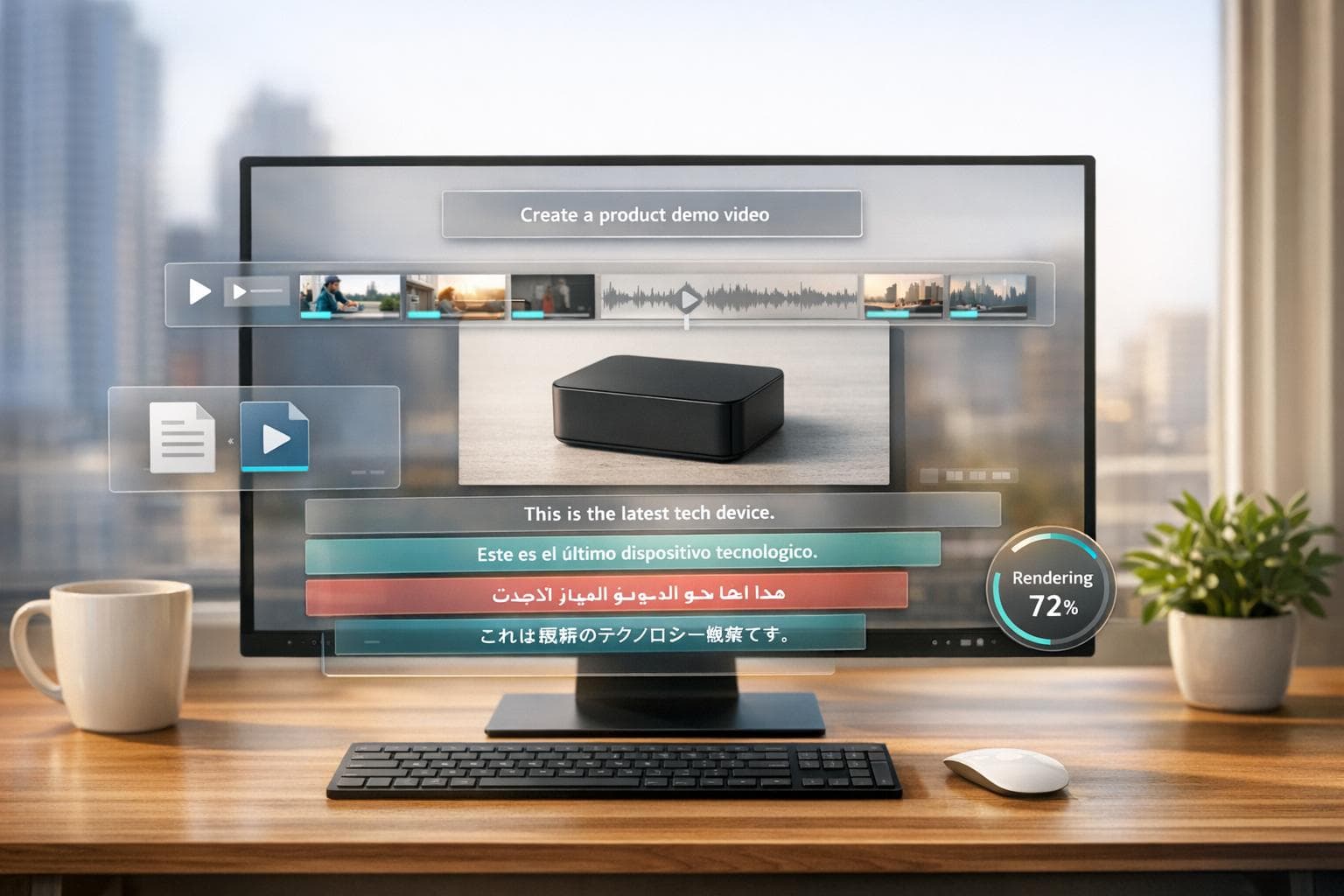
AI video generators are transforming video production, cutting costs and time drastically. By 2026, businesses can create high-quality videos in minutes using just a laptop, bypassing traditional equipment and teams. These tools use advanced AI to turn text prompts or scripts into polished videos with realistic visuals, synchronized audio, and even multilingual support.
Key highlights:
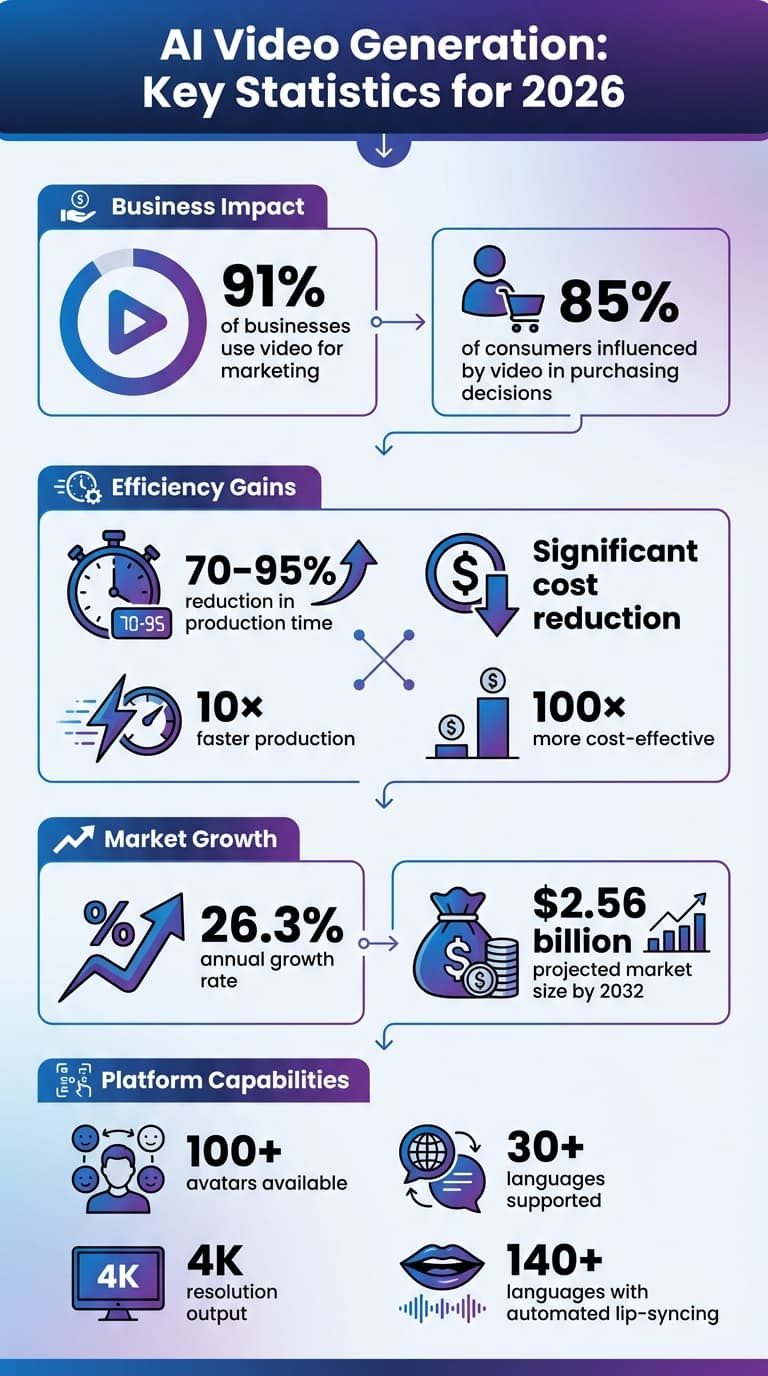
- 91% of businesses use video for marketing, with 85% of consumers influenced by video in purchasing decisions.
- AI video generation saves 70–95% of production time and reduces costs significantly.
- The market is growing at 26.3% annually, projected to reach $2.56 billion by 2032.
There are three main types of AI video generators:
- Avatar-Based Platforms: Ideal for training and multilingual content, featuring lifelike avatars.
- Template-Based Tools: Quick and easy for social media clips and explainer videos.
- Generative Platforms: Create custom visuals for cinematic storytelling and effects.
DeepReel, a leading platform, stands out with:
- Over 100 avatars, custom voice and face cloning, and support for 30+ languages.
- Automated scriptwriting and content repurposing tools.
- Flexible resolutions (up to 4K) and aspect ratios for various platforms.
With AI tools like DeepReel, video production is now faster, more accessible, and cost-effective, enabling businesses and creators to produce professional-quality content effortlessly.
AI Video Generation Statistics and Market Growth 2026
How to Start Making AI Videos in 2026
What Is an AI Video Generator?
An AI video generator uses artificial intelligence to transform text prompts, scripts, or images into fully realized videos - no cameras or extensive editing required.
Here’s how it works: You provide the input (like text), and the system processes it into numerical data. From there, it starts with a static noise pattern to create the initial scene. Using advanced technologies like diffusion models or transformers, the AI refines these frames step by step, aligning visuals, movements, and styles to match your input. Throughout the process, it ensures consistency in elements like lighting, objects, and overall flow[1][4].
Modern platforms combine several key features to produce polished videos. Text-to-speech engines create narration, while voice cloning mimics specific voices with just 30 seconds of audio[3][6]. Automated scene assembly pairs visuals with your script, and many systems now support native 4K output for professional-grade results. Some platforms even generate continuous clips of up to two minutes[5][6].
Next, let’s dive into the technology that powers these systems.
How AI Video Technology Works
AI video generation follows a detailed, multi-step process. First, the system creates a spatio-temporal blueprint - a framework of frames over time. It then refines this blueprint to ensure smooth motion, consistent lighting, and proper object placement across every frame[1][4]. This approach speeds up production while maintaining high-quality results.
Physics-based rendering adds a layer of realism, simulating natural interactions like water flow, fabric movement, and gravity. This ensures objects behave as they would in the real world[6][8]. Compared to earlier AI video tools, this represents a huge leap forward.
Audio generation has also evolved significantly. Instead of adding sound during post-production, modern platforms create both video and audio simultaneously. This ensures perfect synchronization of lip movements, ambient sounds, and dialogue[6][2]. Many systems now support over 140 languages with automated lip-syncing, making it easier than ever to create multilingual content[5][7].
3 Types of AI Video Generators
AI video generators typically fall into three main categories, each suited to different needs and workflows:
- Avatar-Based Platforms: These specialize in "talking head" videos where digital presenters deliver your script. They offer libraries of lifelike avatars with natural expressions, breathing, and precise lip-syncing, often achieving latencies under 50 milliseconds[3][4]. For example, DeepReel combines realistic avatars with tools for automated scriptwriting and content repurposing.
- Template-Based Tools: Perfect for quick projects, these platforms assemble videos using stock footage, captions, and music that align with your script. They analyze your text and pull relevant clips from vast libraries, making them ideal for social media content or explainer videos.
- Generative Platforms: These create entirely original visuals and scenes based on text or image prompts. They’re perfect for cinematic shots, storytelling, and visual effects. As Emmett Miller, Co-Founder of Miniloop, puts it:
"Native audio, multi-shot coherence, and physics-based rendering are now table stakes" [5].
Here’s a quick comparison of these generator types:
| Generator Type | Primary Use Case | Key Strengths |
|---|---|---|
| Avatar-Based | Training, marketing, multilingual content | Realistic avatars, quick production, 140+ languages |
| Template-Based | Social media clips, blog-to-video conversion | Large stock libraries, automated workflows, cost-effective |
| Generative | Cinematic shots, storytelling, VFX | Custom visuals, physics-based effects, creative freedom |
Each type offers unique advantages, with DeepReel focusing on delivering high-quality, automated video solutions.
Key Features of DeepReel's AI Video Platform
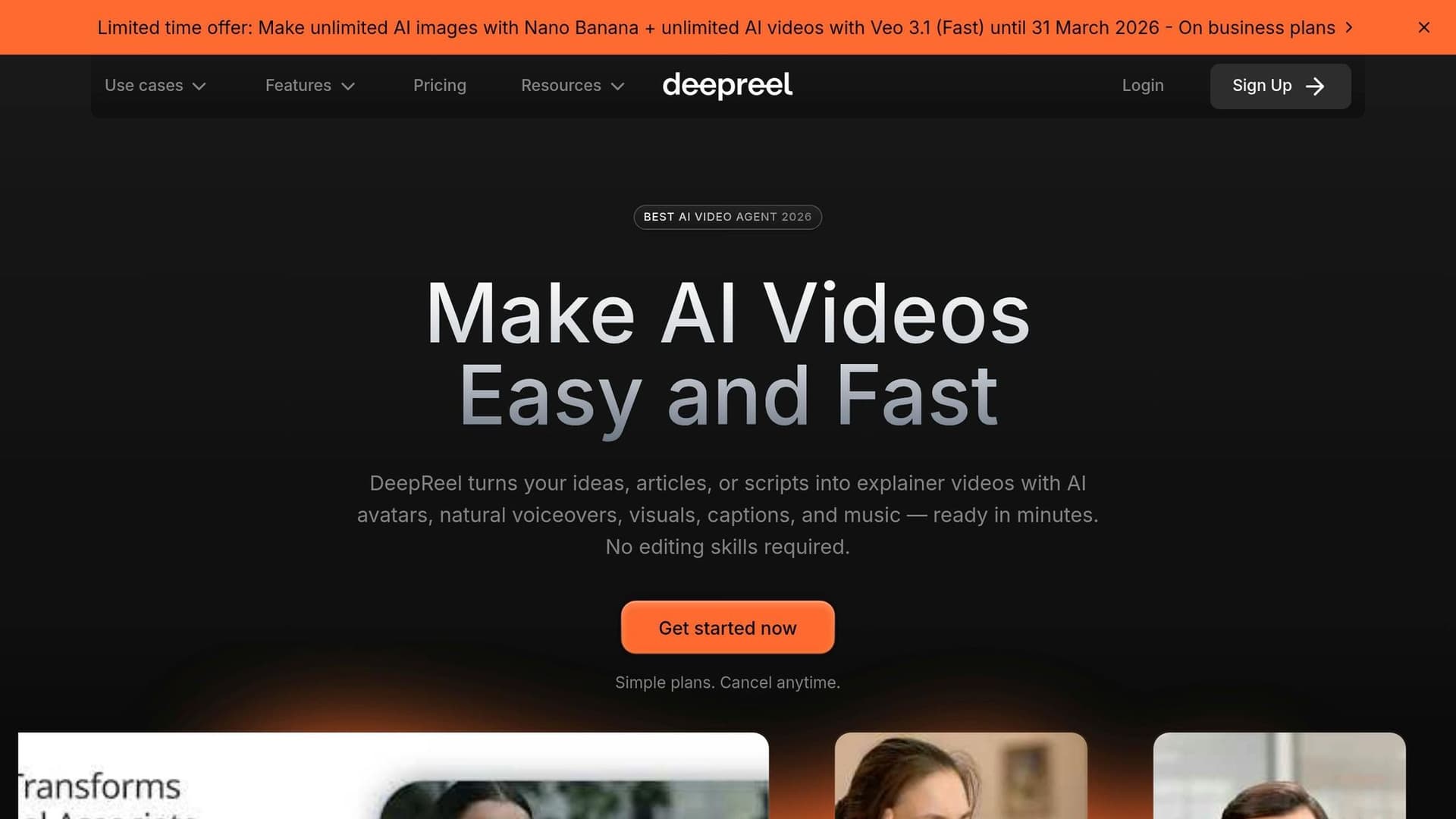
DeepReel has reimagined video production, making it possible for anyone to create professional-grade videos without needing cameras, editing expertise, or a full production crew. Its AI Video Genie takes care of the heavy lifting, turning simple inputs - like a URL, text prompt, or even a PDF - into polished videos in just about a minute [10]. Here’s a closer look at what makes DeepReel stand out, including its advanced avatars, automated scriptwriting, and flexible video output options.
Avatar Quality and Customization
DeepReel offers a library of over 100 AI avatars, each capable of delivering lifelike expressions and precise lip-syncing. But if you want something more personal, you can create a custom avatar from just a single photo - no video footage required [9][10].
Voice customization is just as seamless. Instead of uploading audio samples or picking from pre-made options, you simply describe the voice you want, and the platform generates it based on your description [9][10].
A notable example of DeepReel’s capabilities comes from the Aston Martin Aramco F1 team, which used the technology to create "Ai.lonso", a digital persona designed to engage fans. Will Piper, Head of Content for the team, shared:
"DeepReel's AI avatar technology delivered the flawless precision we needed to bring Ai.lonso to life and set a new standard for fan engagement in sports." [10]
Now, let’s see how DeepReel simplifies the content creation process with its automated scripting tools.
Script Automation and Content Repurposing
The AI Video Genie is a game-changer for scriptwriting, taking the stress out of crafting engaging narratives. Whether you provide a topic, paste a blog URL, or upload a PDF, the system identifies key points and organizes them into a compelling script [10].
DeepReel supports video creation in over 30 languages, ensuring accurate lip-syncing for localized content. It also allows you to repurpose one piece of content into different formats - a short 60-second clip for social media or a longer 3–5 minute version for platforms like YouTube. The Genie even searches for relevant stock footage or generates custom visuals using AI models like Google Veo and Sora 2 [10].
The process is simple and efficient: choose your source, review the AI-generated draft, and finalize your video in just three clicks.
Dhruv Krishnaraj, Founder of Student Circus, highlighted the impact of DeepReel’s tools:
"With DeepReel, we went from having zero video capability to making video our most powerful tool for client engagement." [10]
Output Quality and Customization
DeepReel delivers videos in resolutions ranging from 720p to 1080p, with 4K available for Studio Avatars and Pro users [13]. You can export videos in four aspect ratios - 16:9 for YouTube, 9:16 for TikTok and Reels, 1:1 for Instagram, and 4:3 for traditional formats - all in MP4 format [13].
To save time, the platform automatically generates captions and thumbnails, while a Brand Profile feature lets you upload your logo, set brand colors, fonts, and tone for consistent branding across all videos [10][12].
A user-friendly editor allows you to fine-tune scripts, adjust timings, swap visuals, and add royalty-free music or sound effects before finalizing your project. Plus, DeepReel integrates with Canva and Adobe Express, enabling you to create avatar videos directly within your favorite design tools [9][10].
DeepReel claims its platform makes video production 10× faster and 100× more cost-effective than traditional methods, with over 1 million videos already created using its technology [10][11]. These features ensure you can produce professional, branded content efficiently and affordably, redefining how digital videos are made.
sbb-itb-f78eafa
How to Create Your First AI Video with DeepReel
Making a professional video with DeepReel is quick and easy - even if you've never edited a video before. The platform's AI Video Genie takes care of all the technical stuff - like scriptwriting, visuals, music, and captions - so you can focus on crafting your message. Here’s how you can go from idea to finished video in just three simple steps.
Step 1: Write or Import Your Script
Start by choosing how you want to create your script. DeepReel offers several options: Prompt, URL, File, or direct text input. If you’re repurposing existing content, the URL to Video tool can pull text and graphics directly from a webpage to create a video script. Got documents like PDFs, presentations, or brochures? Use the File to Video feature to transform them into video-ready scripts.
If you prefer starting from scratch, the AI Scriptwriter can help. It generates scripts based on top-performing video formats, complete with engaging hooks and localized content tailored to your audience. Just describe your topic, and it’ll create a full script for you. For full control, you can also paste your own text using the Script to Video option.
Here’s a tip: aim for roughly 150 words per minute of video. This pacing ensures your message is clear and keeps viewers engaged. Once your script is good to go, you can move on to selecting an avatar and style that represent your brand.
Step 2: Choose Your Avatar and Style
DeepReel offers a library of over 100 AI avatars, each capable of delivering lifelike expressions and precise lip-syncing in more than 30 languages. You can even upload a photo to create a custom avatar that matches your brand’s personality.
Customizing the voice is just as easy. Clone your own voice or create a new one by describing the tone you’re aiming for - whether it’s professional and authoritative, friendly and upbeat, or something else entirely.
Before generating your video, set up your Brand Profile by adding your logo, brand colors, fonts, and preferred tone. These settings are automatically applied to every video you create, saving you time and ensuring a consistent look and feel. With your script and style set, you’re ready to move on to the final stage.
Step 3: Customize and Finalize Your Video
In just 60 seconds, the AI Video Genie will produce a draft of your video, complete with your chosen avatar, visuals, background music, and auto-generated captions. From there, you can fine-tune every detail using DeepReel’s intuitive editor.
The editor makes it easy to adjust visuals, swap out music, or tweak the script. It even auto-selects relevant stock footage and can generate custom AI images using models like FLUX or Nano Banana. You can also modify caption styles, add your logo, or let DeepReel automatically create a thumbnail that’s ready for platforms like YouTube and social media.
Once you’ve made your final adjustments, export the video in your preferred resolution and aspect ratio. When the generation status shows "completed", your video is ready to download and share with the world.
AI Video Use Cases for Businesses and Creators
DeepReel offers a wide range of applications for businesses and content creators, enabling them to produce professional-quality videos quickly and efficiently. By transforming text, URLs, and files into polished videos in minutes, DeepReel eliminates the need for costly production setups and lengthy timelines. This makes it a versatile tool across industries like marketing, HR, and beyond.
Marketing and Social Media Content
Marketing teams are tapping into DeepReel to produce everything from product demos to explainer videos and eye-catching social media ads - all without the need for filming or hiring production crews. One standout feature is the URL-to-Video tool, which converts high-performing blog posts into short, shareable video snippets perfect for platforms like Instagram, TikTok, or LinkedIn. Additionally, the brand profile feature ensures consistent branding by automatically applying your logo, colors, and fonts to every video.
The impact of AI-driven marketing tools is hard to ignore. Companies using such tools have seen over a 450% increase in qualified leads, and 43% of marketers now depend on AI specifically for content creation [14]. Beyond marketing, these tools are equally effective for training and education.
Training and Educational Videos
DeepReel simplifies the creation of training and educational content, turning dense documents into engaging video formats. With the File-to-Video feature, teams can extract key points and visuals from manuals or other materials, transforming them into explainer videos in mere minutes. In fact, users can go from concept to finished video in under 5 minutes [15].
For internal training, DeepReel offers a unique touch - users can clone a company leader’s face and voice to create a custom avatar. This adds a personalized element that fosters trust and keeps employees engaged.
Industry-Specific Applications
DeepReel’s versatility extends to specialized industries, offering tailored solutions:
- Real estate agents: Create professional property video tours with automated visual selection and AI-generated images.
- Legal professionals: Convert case studies or legal updates into digestible video content that builds trust with clients [16].
- Financial advisors: Break down complex market analyses or investment concepts into easy-to-understand videos that help clients feel more confident about their portfolios.
With support for over 30 languages and auto-generated captions, DeepReel is ideal for organizations working with global audiences. Whether you’re creating multilingual training materials or localized marketing campaigns, this tool makes it easier to connect with diverse audiences effectively.
Conclusion
DeepReel is reshaping how video production works. AI video generation has evolved into a practical, budget-friendly solution that saves both time and money. By removing the need for studios, actors, and hefty production budgets, DeepReel streamlines the entire process. With its automated workflow, you can create professional-quality videos 10x faster and at 100x lower cost than traditional methods[10].
What sets DeepReel apart is its flexibility. The platform offers over 100 stock avatars, supports more than 30 languages, and even allows you to clone your own face and voice. This combination of personalization and scalability makes it a powerful tool for industries of all kinds[10][17]. Experts in the field have praised DeepReel for its ability to captivate audiences with precision.
Getting started is easy. DeepReel provides a 210-credit free trial, letting you explore its features before making a commitment. Paid plans are affordable, starting at just $4.90 per month[13][18]. Whether you're working on product demos, training materials, or multilingual marketing campaigns, DeepReel's simple three-click process ensures that anyone - regardless of technical expertise - can create stunning videos.
Ready to revolutionize the way you produce videos? Visit deepreel.com to claim your free trial and create your first AI-powered video today.