AI Character Generator: Create Custom Digital Personas for Video
What if you could create a professional spokesperson for your brand without hiring an actor?
That's what an AI character generator does. It lets you build custom digital avatars that talk, move, and feel real. You can use them in marketing videos, training content, social media, and more. If you're exploring avatar tools more broadly, we compared the best AI avatar video generators available right now.
I'm going to show you exactly how these tools work, which ones are best in 2026, and how to pick the right one for your business.
What is an AI character generator?
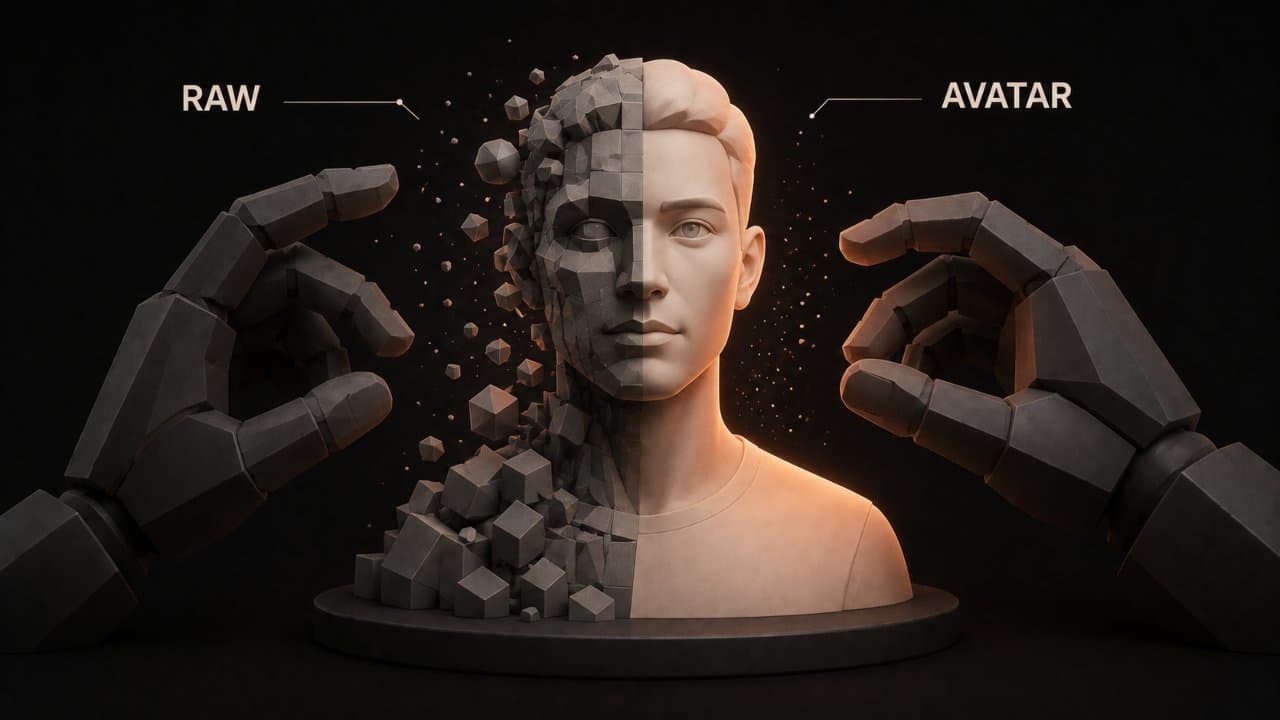
An AI character generator is software that creates digital characters for videos. You give it text, and it produces a video with an animated person delivering that message.
Think of it like having an actor on standby 24/7. Except this "actor" never sleeps, never gets tired, and costs a fraction of what a real person would.
Here's what these tools can do:
- Create avatars that look human (or cartoonish, depending on the tool)
- Sync realistic lip movements to your script
- Add body language and hand gestures
- Clone voices or use AI-generated speech
- Support multiple languages and accents
- Generate backgrounds and scenes
The technology behind this is generative AI. Models learn from millions of video samples to understand how humans move and speak. Then they generate new videos based on your input.
How big is the AI character generator market?
The AI video generation market is growing fast. According to AI video market research from Vivideo, the global AI video market is projected to reach $18.6 billion by the end of 2026.
In fact, 78% of marketing teams now use AI-generated video in at least one campaign per quarter. And venture capital investment in AI video startups reached $4.7 billion in 2025 alone, a 189% increase from 2023.
Creative professionals are jumping on this too. According to Adobe's Creators' Toolkit Report, 86% of global creators use creative generative AI. That's not just video creators either. It includes designers, photographers, and content producers across all disciplines.
Why? Because it works. Teams report 80-95% cost reduction in per-video production compared to traditional methods. Plus, 57% of creative agencies say AI video tools cut their production timelines by at least 38%.
Top AI character generator tools in 2026
Let me walk you through the best options available right now.
HeyGen
HeyGen is the market leader. It has the most realistic avatars with natural lip-sync and microexpressions.
What makes it stand out: HeyGen supports 175+ languages and dialects with voice cloning. You can clone your own voice and have the avatar speak in any language. It also integrates with Google Sheets, Zapier, and HubSpot, which means you can automate personalized videos at scale.
The avatar quality is strong. HeyGen's Avatar IV model includes full-body motion and natural hand gestures. Videos look polished enough for client work and ad campaigns. If realism is your top priority, HeyGen is the choice.
Synthesia
Synthesia excels at corporate training and internal communications. The avatars are realistic, and the editing interface is intuitive. If you're weighing options against Synthesia, our comparison of the best Synthesia alternatives covers how other platforms stack up.
What I like: Synthesia has a huge library of pre-built avatars. You don't need to create a custom character if you don't want to. Just pick one and start scripting. This saves time for teams that want to launch quickly without design work.
The platform also handles video editing, so you can add backgrounds, music, and graphics without leaving the tool. It's truly all-in-one for corporate video needs.
D-ID
D-ID specializes in avatar creation from photos or videos. If you want to digitize a real person, D-ID is your best bet.
You upload a photo, and D-ID creates a photorealistic avatar of that person. It's excellent for personalized sales videos or employee spotlights. Some companies use D-ID to create digital versions of their executives for internal videos.
The technology is impressive. The avatar captures facial expressions and movements from the original photo with high accuracy.
Picsart Persona
Picsart Persona is part of the larger Picsart creative suite, so it integrates well with other design tools.
The avatars are stylized rather than photorealistic. That's perfect if you want a more playful or branded character for social media content. If your brand is fun and casual, Picsart Persona might be a better fit than the ultra-realistic options.
Zoice
Zoice is an all-in-one AI platform. It combines avatar creation, voice synthesis, and AI personality training in one place.
Think of it as a studio in your browser. You get avatars, voice cloning, and image generation all bundled together. If you need multiple AI capabilities beyond just video, Zoice packages them efficiently.
DeepReel
DeepReel makes AI video creation simple and affordable. The tool is designed for teams that need to produce videos fast without getting bogged down in complex workflows.
You write a script, pick an avatar, and generate. DeepReel handles the rest. The interface is clean and straightforward, perfect for beginners and busy teams.
The pricing is straightforward: $5/month for 10 videos, $25/month for 100 videos, or $30/month for unlimited videos. That means you can create professional videos for pennies per piece. For budget-conscious creators and small businesses, DeepReel is the best value on the market.
How to create an AI character in 5 steps
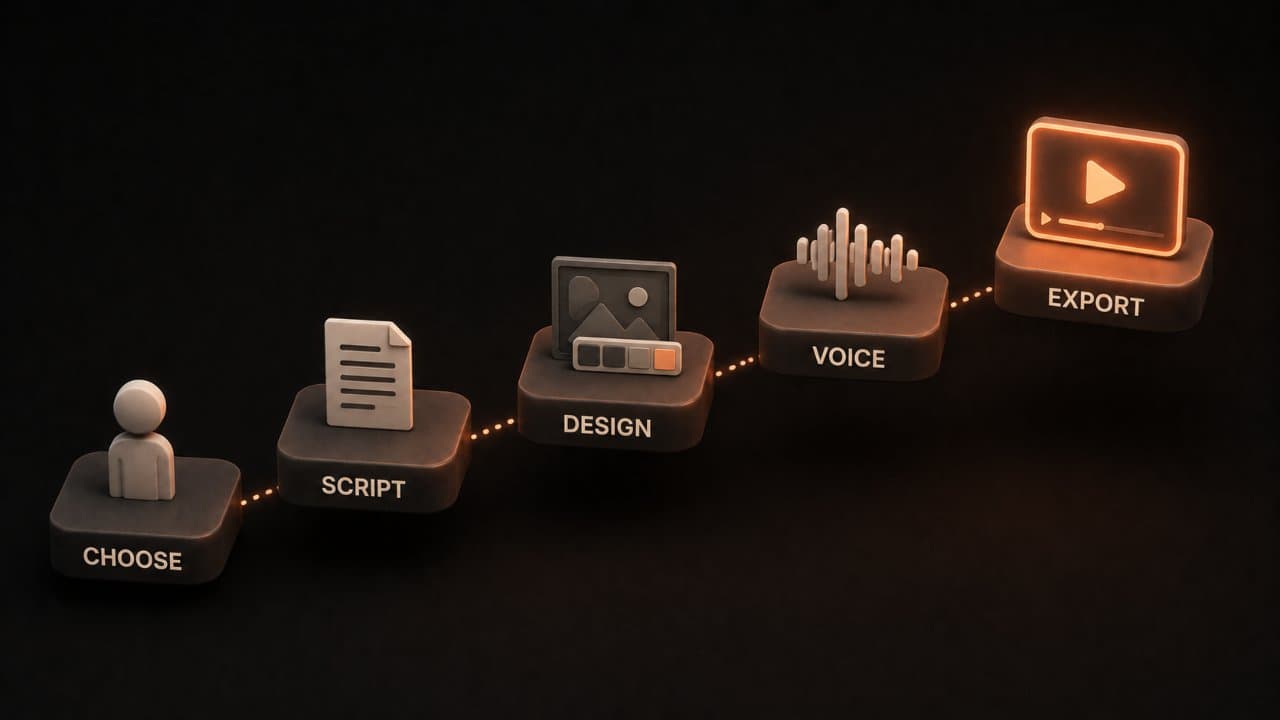
Here's the process most AI character generators follow. I'll use a general framework so you can apply this to any tool.
Step 1: Choose or create your character
First, decide what your avatar will look like. Some platforms offer pre-built avatars you can customize. Others let you upload a photo to create a fully custom AI avatar.
Think about your brand. Should the avatar match your company colors? Should it be formal or casual? Should it have a specific accent or voice?
Step 2: Write your script
Next, write the text you want the avatar to say. Keep it natural and conversational. Avoid stiff, corporate language.
Most tools have a text editor built in. Just paste your script and the tool will analyze it for sentiment, tone, and pacing.
Step 3: Add visual elements
This is where you customize the background, lighting, and scene. Some tools offer stock backgrounds. Others let you upload your own.
You can also add graphics, logos, or text overlays. Think of this as dressing up your video.
Step 4: Adjust voice and delivery
Choose a voice (or clone your own). Adjust the speaking speed, tone, and inflection. Some platforms let you control hand gestures and body language too.
This is the fun part. You can make your avatar whisper, shout, or speak with different emotions.
Step 5: Generate and export
Hit the generate button and wait. Most tools take 1-5 minutes depending on video length.
Once it's done, export as MP4 and download. You can then upload to YouTube, add to your website, or share on social media.
Real-world use cases
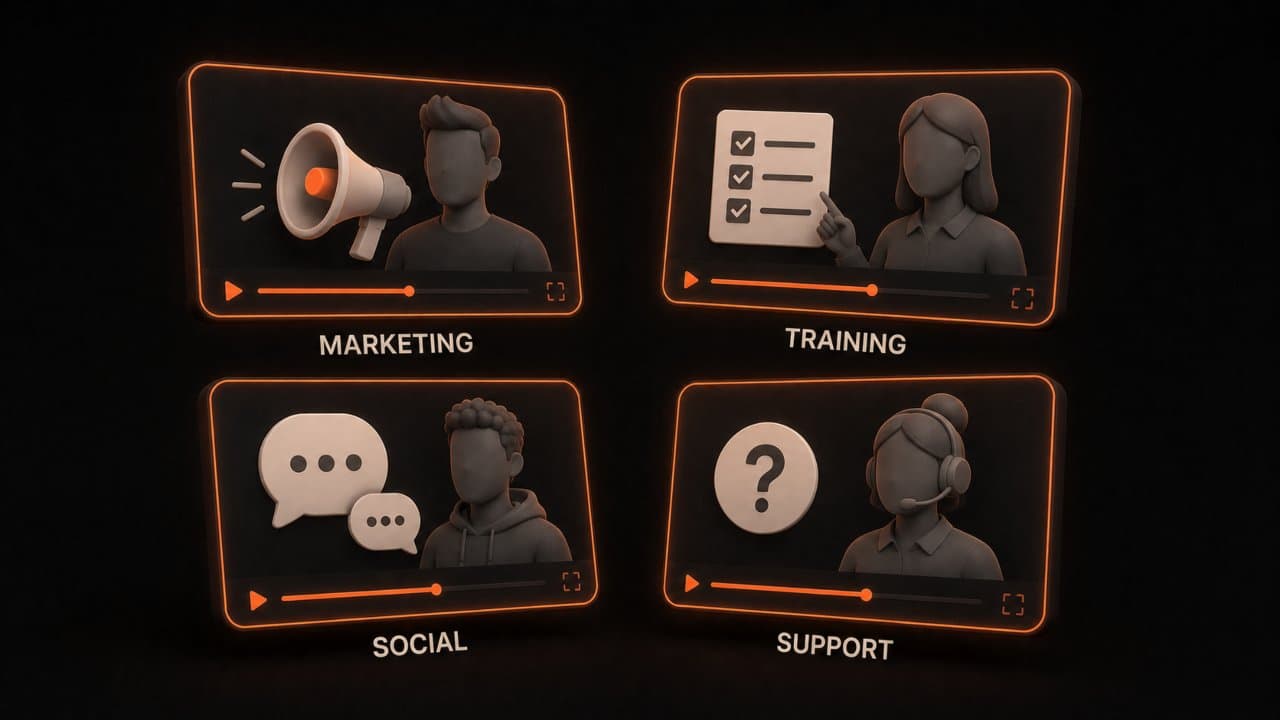
Where should you actually use this technology? Let me give you concrete examples.
Marketing and sales videos
Create personalized sales videos at scale. A software company can generate hundreds of videos with different customer names, products, and offers. Each one feels personal even though they're AI-generated.
Personalized video messages get 80% higher engagement rates than generic videos. Imagine scaling that with AI. You could send a unique video to every lead mentioning their company, their industry, and their specific pain points. At scale, this is impossible with human actors. With AI, it's automatic.
Companies are already doing this. Real estate agents generate property walkthroughs narrated by AI avatars. SaaS companies generate onboarding videos personalized to each new customer account. The personalization drives conversions.
Employee onboarding and training
New hires need to learn company policies, software, and procedures. Instead of recording one trainer, you can generate unlimited training videos with custom examples and scenarios.
Update the content whenever policies change. No need to reshoot or hire actors. If compliance regulations change, you update the script and regenerate. That's it.
The quality consistency is another benefit. Every new hire gets the exact same training from the exact same avatar. There's no variation based on who's available to train that day.
Social media content
Use AI avatars to create consistent content for TikTok, Instagram, and YouTube. Your avatar can review products, answer frequently asked questions, or deliver daily tips.
The avatar becomes your brand mascot. People recognize it and trust it over time. Many successful TikTokers and YouTubers now use AI avatars as their primary content creators. They build loyal followings who come back specifically for that avatar.
Ecommerce product demos
Show how your product works without recording yourself. An AI avatar can demonstrate features, answer objections, and guide customers through the buying process.
Generate variations for different products or customer segments. Show one demo to enterprise customers and a different one to small businesses. One to tech-savvy audiences and another to non-technical users.
Product demos are typically watched in full more than any other video type. They're high-intent content. Using AI avatars here saves thousands in production costs while improving conversion rates.
Customer support
Create AI avatars for FAQs or common support issues. When a customer asks "How do I reset my password?", they get a short video showing the exact steps.
This reduces support ticket volume and improves customer satisfaction. Videos are often clearer than written instructions. Customers prefer watching a 30-second video to reading 500 words of instructions.
How to choose the right AI character generator
Not every tool is right for every job. Here's how to decide.
Consider realism
Do you need photorealistic avatars? HeyGen and D-ID lead here. If you need stylized or cartoonish characters, Picsart Persona is better.
Ask yourself: Will my audience trust an AI avatar, or do they expect a real person?
Check language support
If you operate globally, language support matters. HeyGen supports 175+ languages. Synthesia and Zoice also offer strong multilingual capabilities.
Evaluate customization
How much control do you want? HeyGen and D-ID let you create truly custom characters. Synthesia offers a big library of pre-built avatars (faster setup, less customization).
Look at integration
Does the tool connect to your existing systems? HeyGen integrates with Zapier, Google Sheets, and HubSpot. That means you can automate video generation.
Factor in pricing
Some tools charge per video. Others charge per month with limits. Some offer unlimited plans.
Calculate your expected monthly video volume. Then compare pricing across platforms.
Test drive first
Every major platform offers a free trial. Generate a test video on each one. See which feels easiest and produces results you like.
Don't choose based on features alone. Choose based on what you'll actually use.
AI character generators vs. traditional video production
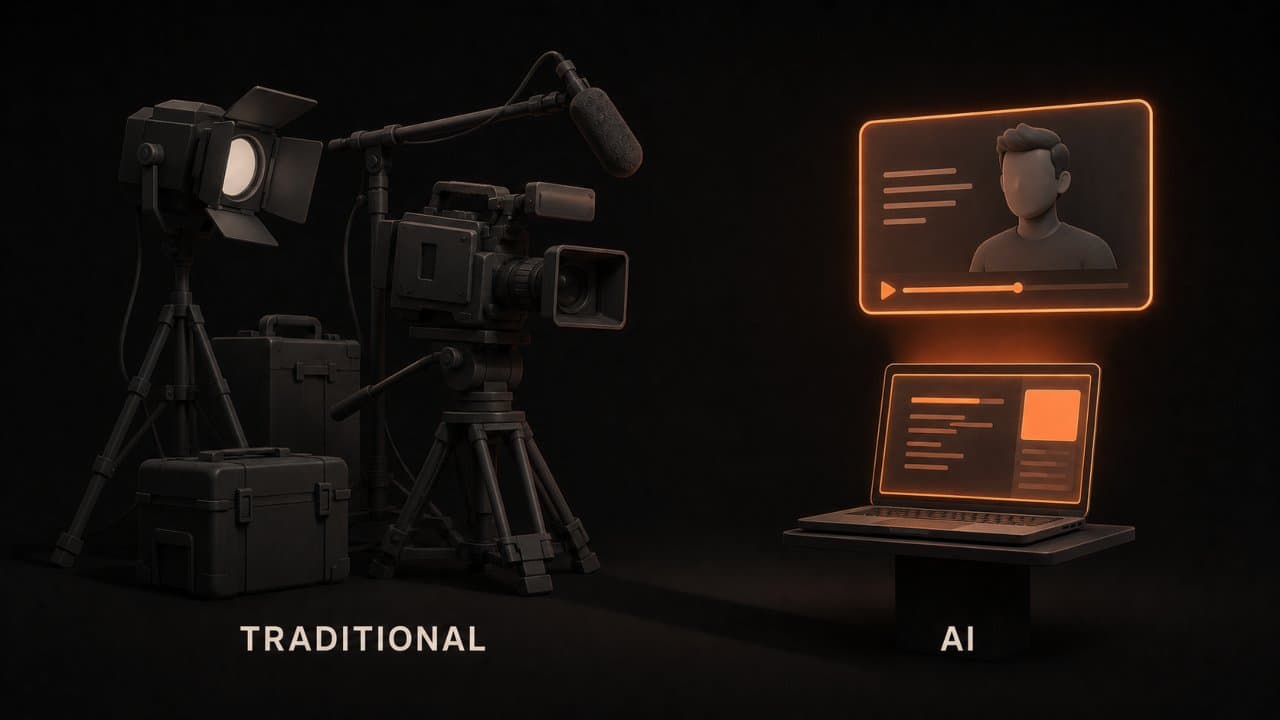
Let me be honest about the tradeoffs.
Speed: AI avatars produce videos in minutes. Professional video production takes weeks. Winner: AI.
Cost: AI costs 80-95% less than traditional production. A $5,000 video shoot becomes a $100-200 AI video. Winner: AI.
Customization: Traditional production can do anything. AI is limited by what the models can generate. Winner: Traditional.
Scalability: AI scales infinitely. Make 1 video or 1,000, and the cost is nearly identical. Traditional production costs scale with volume. Winner: AI.
Authenticity: Some audiences trust real people more than AI avatars. But this is changing. According to Venture Harbour's testing, 73% of viewers couldn't distinguish high-quality AI-assisted video from traditional video in blind testing. Winner: Tie.
The real answer: Use AI for volume. Use traditional video for premium brand moments.
Pricing comparison: 2026 edition
Here's what you'll pay with major platforms in March 2026.
HeyGen: Starts at $5/month (25 credits = 2 videos). Goes up to $490/month for enterprise.
Synthesia: Starts at $30/month for 3 videos. $60/month for 10 videos.
D-ID: Starts at $50/month for 20 videos.
Picsart Persona: Part of the Picsart subscription, which starts at $10/month.
Zoice: Pricing varies based on features. Avatar creation starts at $49/month.
DeepReel: $5/month for 10 videos, $25/month for 100 videos, or $30/month for unlimited videos. This is by far the most affordable option for high-volume creators. For a detailed head-to-head, see our DeepReel vs Synthesia comparison.
If cost is your main concern, DeepReel wins. If you need maximum customization, HeyGen is your best bet. For corporate training, Synthesia is hard to beat.
Common mistakes to avoid
I've seen people waste time with AI character generators. Here's how not to.
Mistake 1: Using bad scripts
The avatar is only as good as the script. Spend time writing clear, natural dialogue. Read your script out loud before generating. Does it sound like something a real person would say? Our AI scriptwriting guide covers how to write video scripts that sound conversational and hook viewers.
If your script is stiff or overly formal, your video will feel robotic no matter how good the avatar is. Good scripts are conversational. They use contractions like "you're" and "it's." They break up long sentences. They ask questions and create connection.
Mistake 2: Ignoring emotional tone
Your avatar's tone should match your brand voice. If you're playful, make the avatar playful. If you're serious, dial back the energy.
Most platforms let you control emotion and delivery. Use it. If you're writing a script about a serious topic like cybersecurity, the avatar shouldn't sound bubbly. Similarly, a fun product review shouldn't sound depressing.
Test different emotional deliveries with the same script. You'll be amazed at how much the tone changes the message's impact.
Mistake 3: Overcomplicating the scene
Keep backgrounds and visuals simple. Busy scenes distract from your message.
A solid color background or simple stock image usually works best. Let the avatar and your message be the star. If your video has a cluttered background with moving elements, animated text, and background music all at once, viewers won't know where to focus.
Think about YouTube videos you actually watch and remember. Most successful ones have minimal distractions. The focus stays on the person speaking.
Mistake 4: Forgetting about captions
Even if your avatar sounds great, add captions. People watch videos with sound off. Captions make your message accessible and improve retention.
This is critical for social media especially. TikTok, Instagram, and YouTube default to muted. Viewers turn sound on only if captions hook them first. So write captions that stand alone and make sense without audio.
Mistake 5: Setting and forgetting
Generate one video and think you're done? No. Test different scripts, avatars, and scenes. Track engagement metrics.
What resonates with your audience? Double down on that. If one avatar style gets 40% more engagement than another, use that style going forward. If short scripts outperform long ones, stick with short ones.
The future of AI characters
This technology is evolving fast. Here's what's coming.
In 2026, we're seeing better emotional intelligence in avatars. They'll react to sentiment in your script with more nuanced expressions and delivery.
We're also seeing more real-time capabilities. Soon you'll be able to generate video calls with AI avatars for live customer support.
And voice technology keeps improving. Cloned voices are getting more natural. Accents and speech patterns are becoming more authentic.
The barrier to entry keeps dropping too. Tools are getting easier to use, and prices are falling. In a few years, every business will have an AI avatar as part of their communication toolkit.
FAQ
How long does it take to generate a video?
Most AI character generators produce videos in 1-5 minutes depending on video length and platform. Short social media clips (15-30 seconds) are fastest. Longer training videos might take 5-10 minutes. DeepReel generates videos quickly without requiring advanced technical skills.
Can I use AI characters for commercial purposes?
Yes, but check the terms of service for each platform. Most allow commercial use as long as you have the right subscription tier. You own the videos you create. You can sell products or services featuring your AI avatar. Some platforms may require attribution, so review their licensing terms.
Do AI avatars have copyright issues?
Generally, no. You own the videos you create. The avatar model is licensed to you, but the video output is yours to use as you wish. Just don't try to claim you invented the avatar technology itself. And be transparent with your audience if the avatar is AI-generated (some countries may require this).
Wrap up
Pick one platform, generate a test video, and see what you think. Most offer free trials. If you want the most affordable option for high-volume creators, start with DeepReel at $30/month for unlimited videos. For a broader look at how AI video fits into your content strategy, see our AI video marketing strategy guide.