DeepReel vs InVideo: which AI video tool wins?
InVideo is one of the biggest names in AI video. It has been around since before the AI video explosion, and it has adapted fast.
But "biggest" does not always mean "best fit."
DeepReel vs InVideo comes down to a fundamental difference in how each tool approaches video creation. InVideo gives you a massive template library and AI assistance to build videos your way. DeepReel gives you an AI agent that builds the video for you.
This comparison covers features, pricing, ease of use, and output quality so you can pick the right tool for how you actually work.
DeepReel vs InVideo overview
Quick feature comparison
| Feature | DeepReel | InVideo |
|---|---|---|
| Starting price | $5/month | Free (watermarked) |
| Paid plans | $5-$30/seat/month | $28-$96/month |
| AI avatars | 100+ stock, photo avatars | Limited avatar support |
| Video creation approach | AI agent (fully automated) | Template-driven with AI assist |
| Content input | Prompt, URL, PDF, script | Text prompt, templates |
| Stock media | Storyblocks (Pro plan) | 16M+ assets (iStock, Shutterstock, Storyblocks) |
| AI video generation | Veo, Flux integrated | Google VEO 3.1 integrated |
| Languages | 30+ | 50+ |
| Best for | Explainers, repurposing, avatar content | Marketing videos, social ads, template-based content |
Different philosophies to AI video
InVideo started as a template-based video editor and layered AI on top. The DNA is "pick a template, customize it, export." Their AI features help you generate scripts, suggest edits, and automate repetitive tasks. But you are still the director.
DeepReel started with AI at the core. There are no templates to browse. You describe what you want, or you feed in existing content, and the AI agent builds the entire video. Script, visuals, voiceover, music, transitions. You review a finished draft.
This philosophical difference shapes everything about the user experience. InVideo users spend more time in the editor. DeepReel users spend more time reviewing and refining.
Neither philosophy is wrong. But one will feel more natural to you than the other.
Key differences between DeepReel vs InVideo
Video creation workflow
With InVideo, you start with a text prompt or a template. The AI generates a script and matches it with visuals from their stock library. You then enter the editor, where you can rearrange scenes, swap footage, adjust text overlays, and fine-tune every element.
The editor is powerful. InVideo built it over years of iteration, and it shows. If you like editing video, you will appreciate the control. Our AI video editing software guide covers more options in this category.
With DeepReel, you skip the editing phase almost entirely. Paste a URL, upload a document, type a prompt, or drop in a script. The AI Video Genie produces a complete video draft in 2-5 minutes. You watch it, make adjustments if needed, and export.
The difference in hands-on time is real. An InVideo project might take 20-40 minutes if you are customizing heavily. A DeepReel project takes 5-15 minutes including review time.
For someone who produces one or two videos per week, that gap is manageable. For someone producing daily content, it changes the math completely.
Content repurposing capabilities
This is where the two tools diverge sharply.
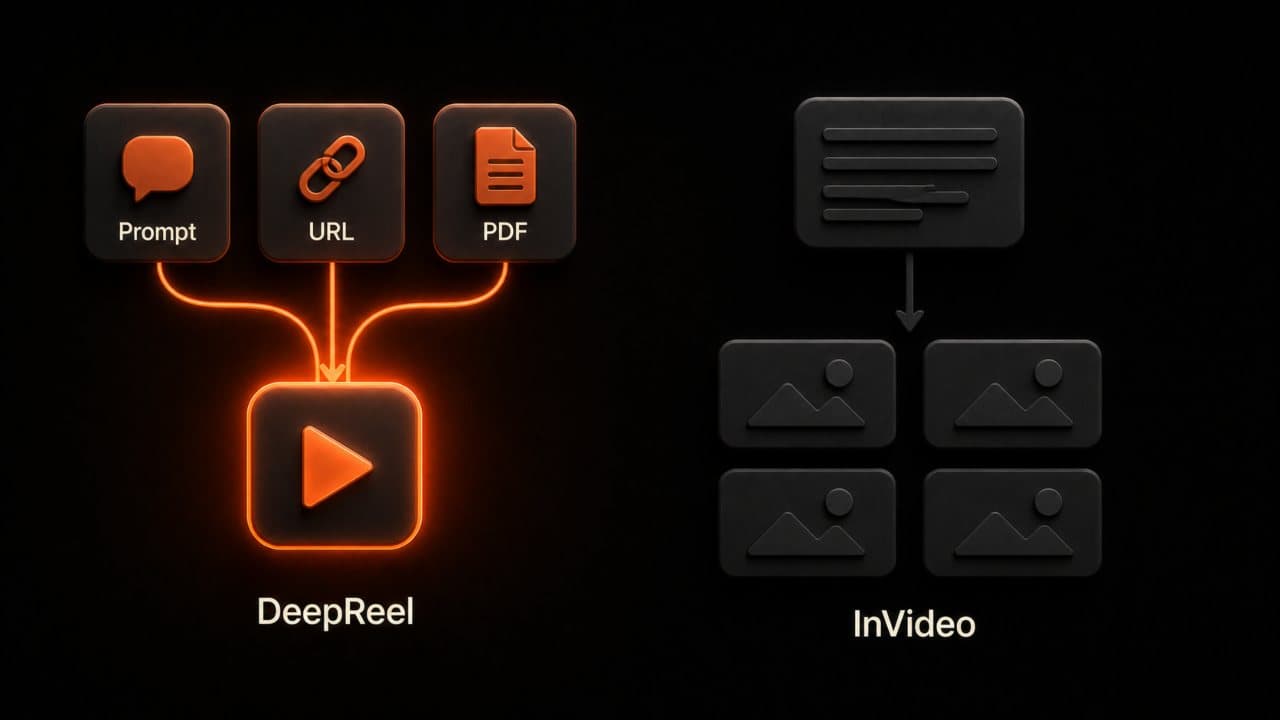
DeepReel was built with content repurposing as a core use case. Paste a blog URL and the AI reads the article, identifies the key points, writes a video script around them, and produces a finished video. Upload a PDF and the same thing happens. Feed in a presentation and it becomes a narrated video.
You can turn a blog post into video in about 3 minutes without writing a single word of script.
InVideo supports text-to-video, but the repurposing workflow requires more manual input. You can paste text into the prompt field and the AI will create a video from it. But there is no direct URL-to-video or document upload pipeline. You need to extract the content yourself and feed it to the tool.
If you are a content team that publishes blog posts, PDFs, and presentations regularly, DeepReel's repurposing features save hours per week. If you primarily create original video content from scratch, InVideo's approach works fine.
Here is a real example of the difference. Say your marketing team published a 2,500-word guide last week. With DeepReel, one person pastes the URL and gets a YouTube explainer video draft in 3 minutes. Then they re-export it in portrait format for a 60-second Instagram Reel. Total time: about 10 minutes for two platform-ready videos.
With InVideo, someone reads the article, writes a condensed script, opens a template, pastes the script, adjusts the scenes, picks stock footage for each section, and exports. Then repeats the process for the short-form version. Total time: 45-60 minutes.
Both produce professional output. But one workflow scales and the other does not.
AI avatars and presenters
DeepReel offers 100+ stock AI avatars and the ability to create photo avatars from a single image. The photo avatar feature is a standout. Upload a headshot and DeepReel generates a speaking, lip-synced avatar you can use in any video. No recording session, no special equipment.
InVideo has limited avatar support. The platform leans toward faceless video styles with text overlays, b-roll footage, and voiceover. If you want a talking-head presenter in your videos, DeepReel gives you more options.
For brands that want a consistent on-screen presence without putting a real person on camera, DeepReel's avatar system is the better fit.
InVideo recently integrated Google VEO 3.1 for generative video clips. This is a strong AI capability. But it lives in the $96/month Generative plan and focuses on generating video footage, not on creating avatar presenters. The two platforms solve different visual problems.
Template library vs AI generation
InVideo's greatest strength is its library. Over 5,000 templates organized by category, platform, and use case. Marketing videos, social media ads, YouTube intros, event promos. If you need a specific format, chances are InVideo has a template for it.
Templates are great when you want a proven structure. Pick one, drop in your content, customize the colors and fonts, export. Fast and predictable.
DeepReel does not use templates. Every video is generated fresh by the AI agent based on your input. This means every video has a unique visual structure, which avoids the "template look" that can happen when multiple brands use the same InVideo layout.
The trade-off: templates give you more predictability. AI generation gives you more originality. Pick based on which matters more for your content.
I have seen teams use both. They generate the initial video in DeepReel for speed, then bring specific clips into InVideo when they need a particular template format for a paid ad campaign. That hybrid approach works, though most people eventually settle into one tool for simplicity.
Pricing and value
Which platform gives you more for your money?
DeepReel pricing:
- Starter: $5/month (100 credits, integrations with Canva and Adobe)
- Pro: $25/month (600 credits, AI image generation, Storyblocks premium media)
- Business: $30/seat/month (unlimited premium AI model access)
InVideo pricing:
- Free: 10 minutes per week, watermarked exports, limited to 4 exports per week
- Plus: ~$28/month (more video time, 80 iStock visuals/month, no watermark)
- Max: ~$48/month (more video time, 320 premium visuals/month, 5 voice clones, 400GB storage)
- Generative: ~$96/month (15 minutes of generative AI credits)
InVideo's stock media library is genuinely impressive. Access to 16 million+ assets from iStock, Shutterstock, and Storyblocks is a real selling point, according to InVideo's feature page. If stock footage quality matters to your content, that library has depth.
DeepReel's Pro plan at $25/month includes Storyblocks media access plus AI image generation and 600 credits. InVideo's comparable Plus plan at $28/month gives you more stock assets but less AI automation.
The value calculation depends on what you need most: stock media breadth (InVideo) or AI automation depth (DeepReel).
One more pricing note. InVideo's Generative plan at $96/month is needed if you want their newest AI video generation capabilities powered by Google VEO 3.1. That is a significant jump from the Plus plan. DeepReel includes generative AI models (Veo, Flux) in lower-tier plans.
Verdict: which is right for you?
Best use cases for each platform
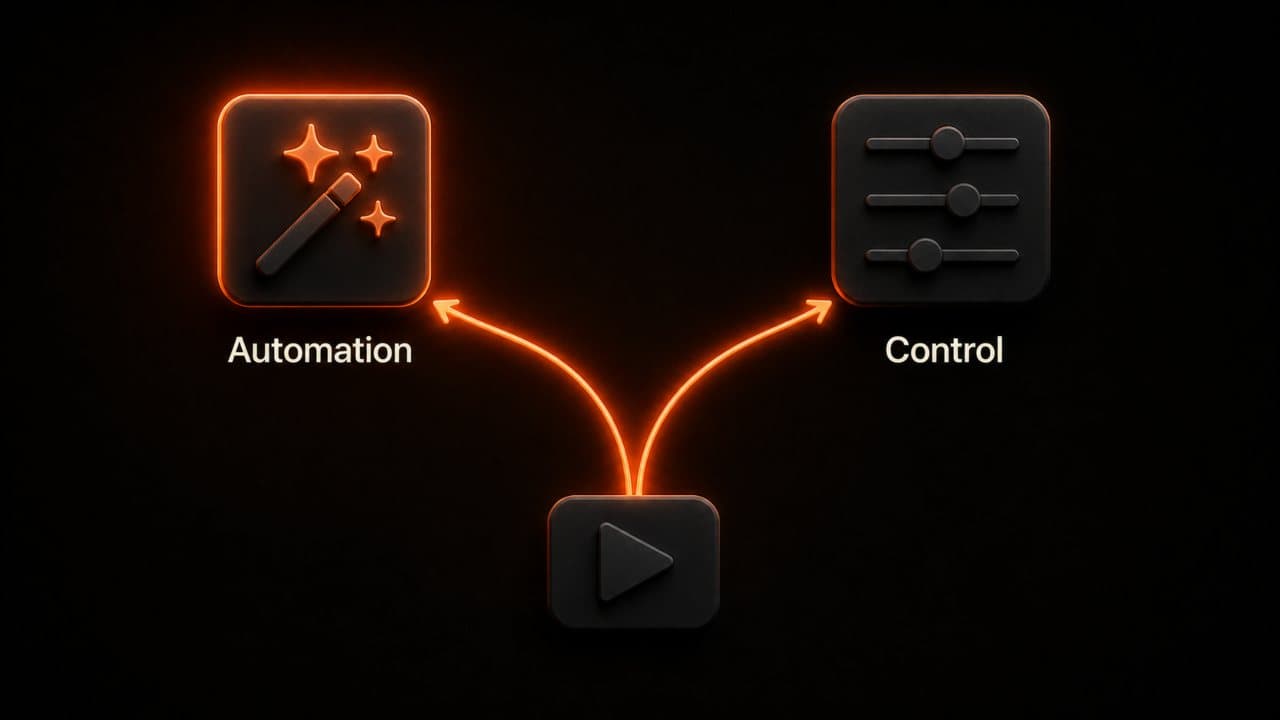
Choose DeepReel for: explainer videos, content repurposing (blog-to-video, PDF-to-video), avatar-based content, educational videos, and high-volume video production where speed matters more than manual control.
Choose InVideo for: template-based marketing videos, social media ads, content that needs a massive stock footage library, and projects where you want hands-on editing control over every scene.
Here is my honest take. If you enjoy editing video and want to control every frame, InVideo is a strong choice with years of product maturity behind it. If you view video editing as a chore and want AI to handle as much as possible, DeepReel is the faster path to finished content.
Most people I talk to fall into the second camp. They want videos, not a video editing hobby. But the first camp has valid reasons for wanting control, especially on high-stakes brand content where every visual choice needs to be deliberate.
Frequently asked questions
Is DeepReel easier to use than InVideo?
Yes, in terms of time to first video. DeepReel's AI agent approach means you can go from zero to a finished draft in under 5 minutes with no editing required. InVideo requires more interaction with the editor, even with AI assistance. The learning curve is steeper because there are more manual decisions to make. That said, InVideo's editor becomes powerful once you learn it. "Easier" and "more capable editor" are different things.
Which creates better quality videos?
Both produce professional results. The quality difference comes from approach, not capability. InVideo's template-based output is more predictable. You know what you are getting because you chose the template and customized it. DeepReel's AI-generated output is more unique but occasionally needs adjustment when the AI's visual choices do not match your vision. For most use cases, the quality is comparable. The real question is whether you want to spend 10 minutes or 40 minutes getting there.
Wrap up
InVideo is a mature, capable platform with an enormous stock library and a powerful editor. It earned its reputation. If you are also weighing Synthesia, our best Synthesia alternatives roundup covers that comparison too.
DeepReel takes a different bet: that most people would rather review a finished video than build one from scratch.
If content repurposing is your focus, DeepReel wins. Paste a URL, get a video. That workflow does not exist in InVideo.
If template variety and manual editing control are your priorities, InVideo wins. 5,000+ templates and a polished editor are hard to match.
Try DeepReel free to experience the AI agent approach. You will know in one video whether automation or manual control fits your workflow better.