
Blog to Video: How to Convert Articles with AI
Most blog posts get read once and forgotten. Maybe they pick up some search traffic for a few months. Then they sit in your archive, collecting digital dust.
That is a waste.
Every blog post you have ever published is untapped video content. And in 2026, turning an article into a polished video takes about 3 minutes with the right blog to video AI tool.
This guide shows you exactly how to convert articles to video, which tools handle it best, and how to optimize the output for every platform. And blog posts are just the starting point — if you have PDFs, whitepapers, or presentations lying around too, our complete guide to PDF-to-video AI conversion covers that workflow.
Why converting blog posts to video is essential in 2026
Video consumption stats that should worry text-only publishers
The numbers tell the story.
91% of businesses use video as a marketing tool, according to Wyzowl's 2026 survey. That is not an aspirational number. That is where the market is right now.
YouTube is the second-largest search engine on the planet. Instagram, TikTok, and LinkedIn all algorithmically favor video over static posts. Social platforms are essentially video platforms now.
84% of consumers say they want to see more video content from brands. Not fewer blog posts. More video. That is where attention has moved.
If your content strategy is text-only, you are publishing on one channel while your audience spends their time on another.
And video doesn't replace your blog. It amplifies it. A video version of your blog post drives traffic back to the original article. It gives Google another piece of content to index. It gives social algorithms something to push.
Text and video aren't competing. They are a multiplier when used together.
The content repurposing multiplier effect
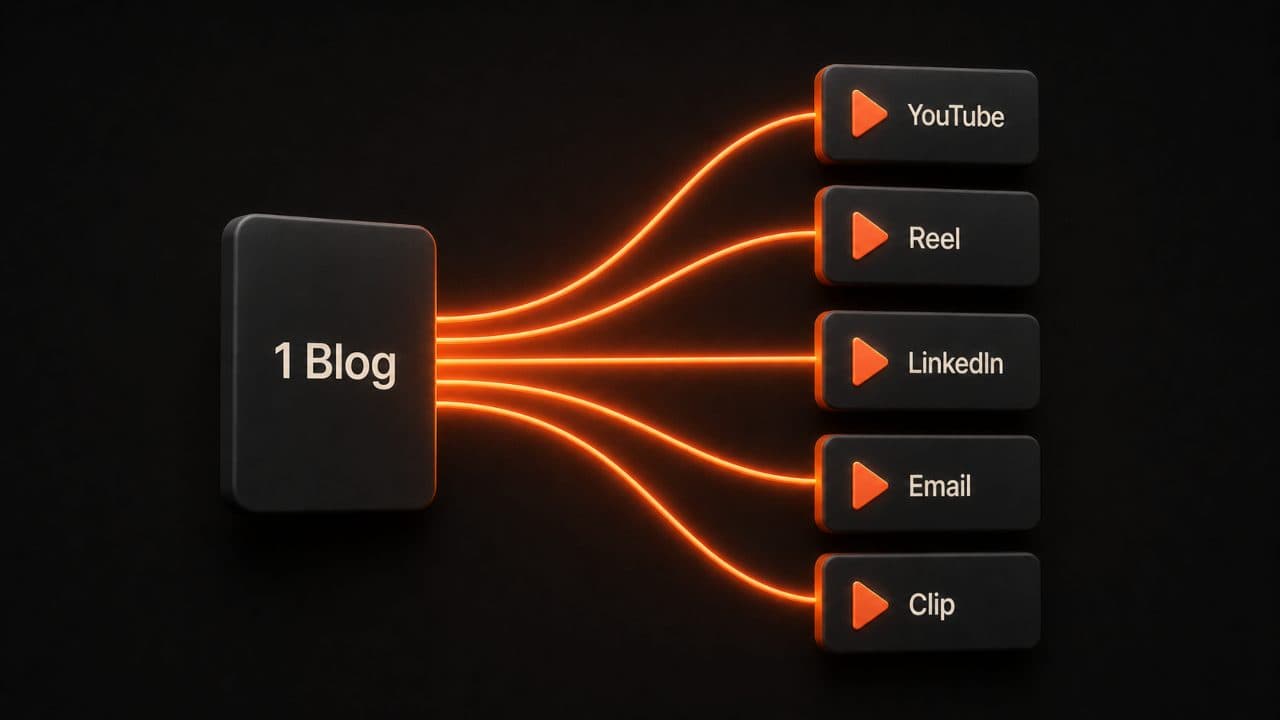
Here is what makes blog-to-video conversion so powerful.
One 2,000-word blog post contains enough material to generate a 3-4 minute YouTube explainer, 4-6 short-form social clips, a LinkedIn video post, an email newsletter video recap, and individual quote graphics.
That is 8-12 pieces of content from one source article. Blog-to-video is just one piece of a broader repurposing strategy — we lay out all seven methods in our guide to repurposing content with AI video.
Teams using AI repurposing pipelines produce this volume in under 60 minutes, according to research from Digital Applied. The same work done manually takes 8-12 hours.
Repurposed content generates 3.2x more total impressions than single-channel publishing. It drives 2.4x more website traffic through cumulative touchpoints.
And the cost? Organizations using AI repurposing reduce their per-piece content cost from $150-$300 down to $40-$80 per piece. That is content at scale without the scale-sized budget.
You already did the hard work of researching and writing the blog post. Converting it to video is just extracting more value from work you have already done.
And the demand is there. 82% of marketers say video marketing gives them a good ROI, according to Wyzowl. 83% say it has directly increased sales. The format works. The question is whether you produce it efficiently or burn through budget doing it the slow way.
Blog-to-video conversion is the efficient way. You skip the most expensive part of video production (the content creation) because the content already exists.
How blog-to-video AI works (the technical process)
URL parsing and content extraction
When you paste a blog URL into a tool like DeepReel, here is what happens behind the scenes.
The AI reads the full article. It identifies the headline, subheadings, key paragraphs, and any structured data on the page.
Then it analyzes the content structure. Is this a listicle? A how-to guide? An opinion piece? The format determines how the AI will organize the video.
From there, it extracts the narrative arc — the key points that need to appear in the video in a logical sequence. It prioritizes information density. A 2,000-word article gets distilled into the 300-400 words that carry the core message.
Different content structures convert differently. Listicles become numbered explainers with one section per item. How-to guides become step-by-step walkthroughs. Thought leadership pieces become talking-head videos with an AI avatar delivering the key arguments.
Script generation and visual matching
Once the AI has the content structure, it writes a video script.
This is not a word-for-word reading of your blog post. It is a condensed, spoken-word version optimized for video pacing. Sentences are shorter. Transitions are visual. Complex paragraphs become single-sentence statements paired with illustrative footage. If you want more control over this stage, our guide on AI scriptwriting for video walks through how to shape the script yourself before the AI generates visuals.
The AI simultaneously matches each script segment to visuals. It pulls from stock footage libraries, AI-generated images, text overlays, and animated elements to create a visual narrative that supports the spoken content.
The voiceover layer goes on top. DeepReel offers 100+ AI voices across 30+ languages, so you can match the narrator to your brand and audience. You can even clone your own voice so videos sound like you without you having to record a thing.
Music gets added last. Background tracks that match the energy of the content without overpowering the narration.
The whole process, from URL input to complete draft, takes about 2-5 minutes. For a 2,000-word blog post, the AI typically produces a 3-4 minute video with full visuals, voiceover, music, and transitions.
What surprised me the most when I first tried this: the AI actually understands article structure. It knows that H2 headings are section breaks. It knows that numbered lists should become sequential segments. It knows that a conclusion paragraph should feel like a wrap-up, not the middle of the video. The output is genuinely structured, not just a slideshow of random stock photos over a text-to-speech reading.
Step-by-step: converting your first blog post to video
Choosing the right blog post to convert
Not every blog post makes a great video. Here is how to pick the right ones.
Best candidates: How-to guides, listicles, and thought leadership pieces. These have clear structure and strong narratives that translate well to video.
Good candidates: Product comparisons, case studies, and FAQ roundups. These work but may need more visual support.
Skip these: Highly technical posts with code snippets or complex diagrams. Posts that rely on interactive elements, embedded tools, or lengthy data tables. These formats lose too much in translation.
Here is my personal framework for choosing which posts to convert first.
Start with your top-performing blog posts. If an article already gets search traffic, converting it to video puts that proven content in front of a new audience on a new platform. You already know the topic resonates. Now you are just widening the distribution. If you run a news or media site, the approach is slightly different — our article-to-video AI guide for news publishers covers those specifics.
Check your analytics. Sort by pageviews over the last 6 months. Your top 10 blog posts by traffic are your first 10 video candidates.
Then look at evergreen content. Posts about "how to" do something or "best tools for" something keep producing traffic year after year. These make the strongest video candidates because the resulting videos also have a long shelf life.
Avoid converting posts that are time-sensitive or news-driven unless you plan to re-convert them regularly. A "best tools for 2025" article needs a refresh before it becomes a 2026 video.
Optimizing the AI output
The AI draft is a starting point, not a finished product. Here is how to make it better.
Review the script for accuracy. The AI sometimes misinterprets nuance or overemphasizes minor points. Read through the generated script and make sure it captures your core message. Adjust any sections where the emphasis is wrong. If you want more control here, the AI video script generator lets you write the script first and then generate visuals around it.
Swap generic visuals. Stock footage is fine for most sections, but if you have product screenshots, team photos, or branded assets, use them. Specific visuals build more trust than generic ones. For content that's image-heavy to begin with, our image-to-video AI guide covers how to turn static visuals into video.
Check the pacing. Watch the full video at normal speed. Does any section drag? Is the opening hook strong enough? Most AI drafts benefit from tightening the first 10 seconds.
Add your brand elements. Logo, colors, end screen with CTA. These should be in your brand kit so they apply automatically, but verify they look right on the final output.
Optimize the CTA. The AI will generate a generic call-to-action. Replace it with something specific to the original blog post's conversion goal. If the blog post drives email signups, the video should too.
Add captions. This is non-negotiable. A huge portion of video views happen with sound off, especially on mobile. Burned-in captions keep viewers watching even in silent scroll mode. Most AI video tools include automatic captioning. Make sure it is turned on.
Link back to the source. In the video description (YouTube) or caption (social), link to the original blog post. This creates a content loop: the video brings in new viewers, and the blog post captures those who want the full deep-dive. Both pieces of content reinforce each other.
Best practices for blog-to-video conversion
Matching video format to blog type
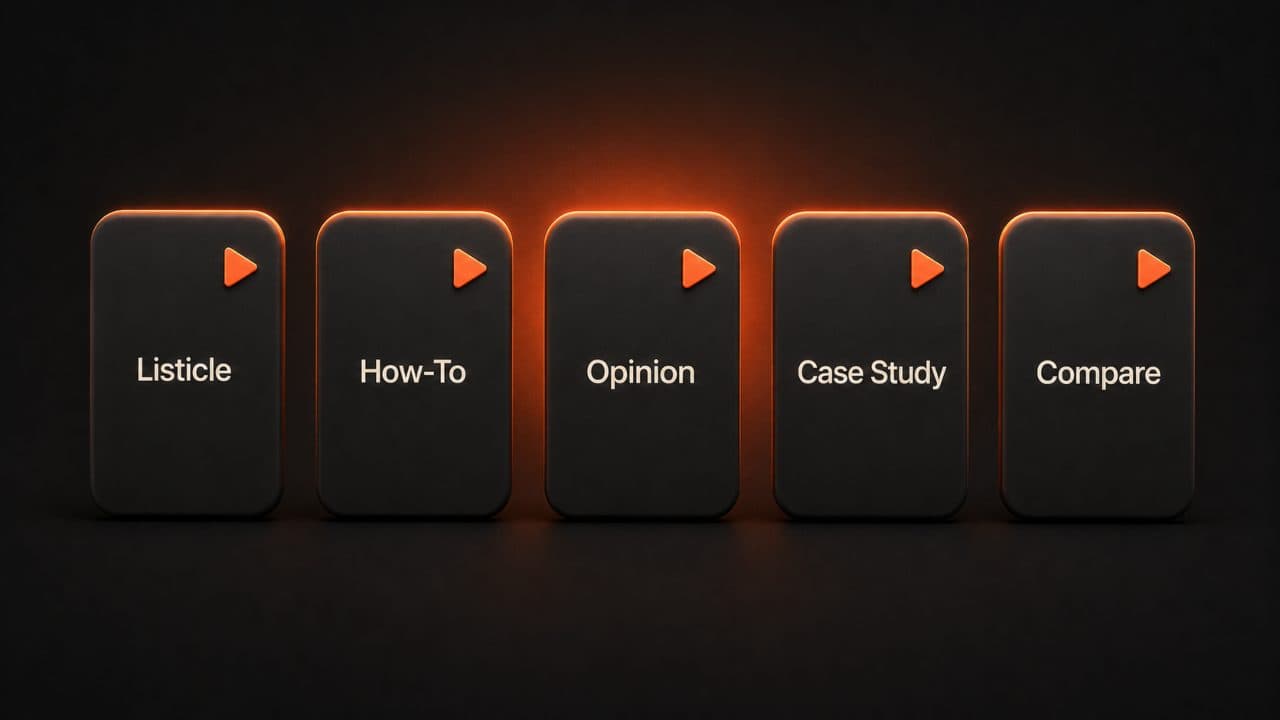
Different blog formats deserve different video treatments.
Listicle blog → Faceless explainer with text overlays. Numbered points on screen, b-roll footage, and voiceover. Clean and efficient. Each item gets 10-15 seconds.
How-to blog → Step-by-step with screen recordings or demos. Walk through the process visually. Use numbered steps with clear transitions. Viewers should be able to follow along.
Thought leadership → Talking head with AI avatar presenter. The avatar delivers key arguments directly to camera. This format builds a personal connection that faceless video can't match.
Case study → Visual storytelling. Before-and-after comparisons, data visualizations, and customer quotes. Show the transformation with specific numbers on screen.
Product comparison → Side-by-side breakdown. Show features, pricing, and differences in a structured visual format. These perform extremely well on YouTube because viewers searching for "Product A vs Product B" prefer video comparisons over text tables.
Platform-specific optimization

One blog post can become three different videos for three different platforms. But each one needs to be optimized for where it lives.
YouTube: Landscape (16:9). 5-10 minutes for depth. Strong thumbnail and title. Add chapters for navigation. This is where your full-length conversion lives.
Instagram and TikTok: Portrait (9:16). 30-60 seconds max. Punchy hook in the first 2 seconds. Captions burned in. Take one key insight from the blog post and make it the entire video.
LinkedIn: Square (1:1) or landscape. 1-3 minutes. Professional tone. Focus on business impact and takeaways. LinkedIn's algorithm rewards video content that keeps people on the platform.
The mistake I see most often: creating one video and posting it everywhere in the same format. A 5-minute YouTube video does not work as an Instagram Reel. Take the extra 5 minutes to create platform-specific versions.
DeepReel makes this easy. Convert your blog post once, then re-export in different aspect ratios and lengths for each platform. One input, multiple outputs, all optimized.
Here is a workflow that works well: convert the full blog post to a 3-5 minute YouTube video first. Then extract the single most compelling insight and create a 30-second Instagram Reel. Then take the main argument and make a 90-second LinkedIn version. Three platforms, three formats, one source article, about 15 minutes of total work. Using the right AI video prompts when creating each version helps the AI nail the tone and pacing for each platform.
Compare that to writing three separate video scripts from scratch. The time savings compound fast when you are doing this for every new blog post you publish.
Frequently asked questions
How long should a blog-to-video conversion be?
A good rule of thumb: aim for 1 minute of video per 500 words of original content. A 2,000-word blog post becomes a 3-4 minute YouTube video. For social media, take the single strongest point from the article and make a 30-60 second clip. You can extract multiple short clips from one long-form article, each focusing on a different key takeaway.
Will the video capture all the information from my blog post?
No, and that is the point. The AI prioritizes key arguments and main takeaways. Think of the video as a visual summary that drives viewers back to the full article for details. A 2,000-word blog post condensed into a 3-minute video keeps the core 20% of information that carries 80% of the value. Link to the original blog post in the video description so interested viewers can dive deeper.
Can I convert blog posts in languages other than English?
Yes. Modern AI video tools support 30+ languages with natural voiceover and lip-synced avatars. DeepReel generates videos with accurate pronunciation and natural-sounding speech across all supported languages. You can take an English blog post and produce video versions in Spanish, French, German, Portuguese, and more — all from the same source URL. Worth looking into if you have international audiences.
Wrap up
Every blog post sitting in your archive is a video waiting to be made.
You already did the research. You already wrote the words. You already proved the content works by publishing it.
Blog-to-video AI just extracts more value from that existing investment. More platforms, more audiences, more traffic — all from content that was already sitting there.
The teams repurposing content report 3.2x more impressions and 2.4x more traffic than single-channel publishers. That changes the math on your entire content operation.
Start with your top 5 blog posts by traffic. Convert them to video with DeepReel's URL-to-video feature. You will have a week's worth of video content in under an hour. If you also want to convert PDFs, whitepapers, or documents, our guide on converting PDF to video with AI covers that format. And for publishers doing this at scale, see our walkthrough on article-to-video conversion for publishers.
And if you are publishing new blog posts regularly, build conversion into your workflow. Every new article gets a video version within 24 hours of publishing. That one habit will double your content output without doubling your workload.
The math is simple. You probably published 50-100 blog posts last year. That is 50-100 videos you could have on YouTube, Instagram, LinkedIn, and TikTok right now. Each one driving traffic back to the original article. Each one reaching people who prefer video over text.
Start today. Pick one blog post. Paste the URL into DeepReel. Watch it become a video in 3 minutes. Then do it again tomorrow.
That is how you build a video library from a blog archive.