AI Product Demo Video: Present Your Software in Minutes
Your software is great. But does your customer actually understand what it does?
Here's the hard truth: potential buyers spend seconds deciding if your product is worth their time. A confusing sales page? A wall of text? They're gone. That's where AI product demo videos come in. They show exactly how your software works in a way that's impossible to miss, and they do it faster and cheaper than you'd ever think possible.
In this guide, we'll walk through everything you need to know about creating demo videos that actually sell. We'll cover why they work, what tools to use, and how to keep them fresh as your product evolves.
Why AI product demo videos drive sales
Let's start with the numbers. Product demos have a measurable impact on conversions. Prospects who engage with interactive demos close deals 3.2 times faster than those who don't.
Here's what happens when buyers see a demo:
They visualize themselves using your product. Text says your software saves time. A demo shows them actually saving time. That difference matters a lot.
They move through the sales process faster. Deals with demo touchpoints close in about 27 days instead of 33, according to Storylane's conversion research.
They have fewer questions by the time they talk to your team. When buyers see exactly how your product works, your sales reps spend less time explaining basics and more time closing deals.
The impact goes beyond sales calls too. Website visitors who watch product demos stay longer on your page. Email subscribers are more likely to open follow-ups. Free trial signups increase. All because seeing is believing.
The cost difference: traditional vs. AI product demo video
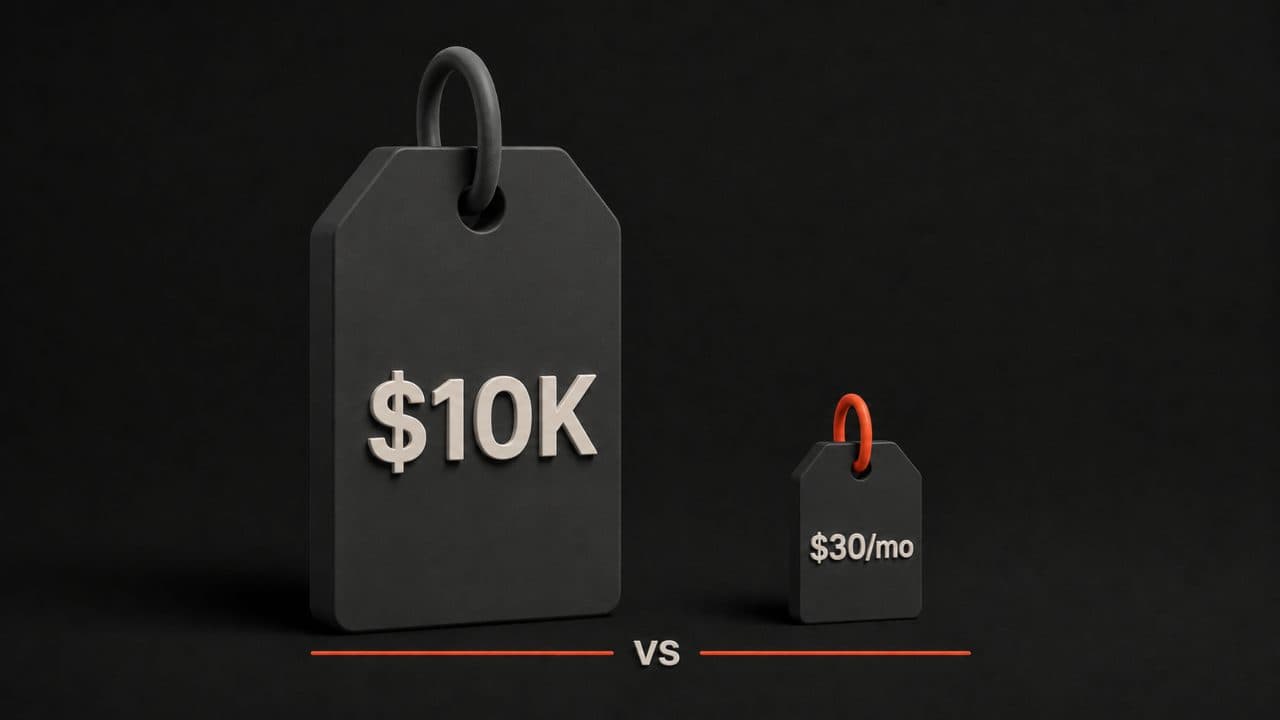
This is where AI demo videos become a no-brainer financially.
Traditional video production costs somewhere between $3,000 and $10,000 per video. That assumes you hire a freelancer or small production company. An agency? You're looking at $15,000 to $50,000 or more. This cost covers scripting, filming, editing, color grading, and everything else that takes weeks to complete.
AI video generation costs between $5 and $30 per month. That's not per video. That's per month. With most tools, you can produce multiple demos in that time.
The cost gap is hard to overstate. A company producing ten demo videos would spend $30,000 to $100,000 through traditional methods. With AI, the same ten videos might cost you $100 to $300 total for the month. Even accounting for a higher monthly plan, you're looking at 99% savings.
Plus, there's a hidden cost to traditional production: time. A traditional demo takes weeks to film and edit. An AI demo takes hours to script, record, and publish. When your product changes, you don't need to hire a camera crew again. You just tweak the script and regenerate the video.
The best tools for AI product demos
The market for demo video tools is crowded, but a few platforms stand out.
DeepReel ($5, $25, and $30 monthly plans) specializes in creating product demos with AI voiceovers. You record your screen, add a script, and the tool generates a professional voiceover that syncs perfectly with your footage. The three-tier pricing means startups and enterprises alike can find a plan that fits.
Synthesia is another popular choice. It offers an AI screen recorder that transcribes your footage automatically and lets you edit scenes. The tool also generates avatars that can present your demo, so it doesn't feel like a generic screen recording.
Descript works well if you're combining screen recordings with other video elements. It uses AI to remove filler words, split your footage into scenes, and even generate subtitles that match your speaking pace.
Loom remains the go-to for quick, simple screen recordings. The free tier lets you create unlimited videos under 5 minutes. Paid plans add features like custom branding and interaction analytics. It's not the most powerful AI tool, but it's reliable for straightforward demos.
Arcade focuses on interactive product demos that viewers can click through themselves. It's great if you want to let prospects try features hands-on without leaving your website.
Your choice depends on what your team needs. If you want the easiest AI voiceover integration, DeepReel or Synthesia are your best bets. If you need more editing flexibility, Descript shines. If you want simplicity above all else, Loom is tough to beat.
Types of demo videos that work
Not all demo videos are the same. Different situations call for different approaches.
Feature walkthroughs show off specific capabilities. These work best when you have a complex product and want to highlight what makes you different from competitors. A feature walkthrough might be three to five minutes and cover one or two things your product does better than anyone else.
Onboarding videos help new users get started. These are especially valuable for SaaS products where the first-time experience matters. An onboarding demo shows new users exactly where to click and what to expect, reducing support tickets and increasing retention. For structured employee education, AI training videos follow the same step-by-step approach.
Sales enablement videos are created specifically to help your sales team close deals. These might focus on ROI, use cases, or competitive advantages. Sales teams can embed these in emails or presentations, or show them during calls. When a prospect raises an objection, a sales demo can answer it fast.
Website embeds are demo videos placed directly on your homepage or feature pages. These act like guided tours of your product. They give visitors a reason to stick around and explore more of your site.
Most companies benefit from creating two or three of these types. A startup might prioritize a feature walkthrough and an onboarding video. An established SaaS company might focus on sales enablement and website embeds.
How to script your demo
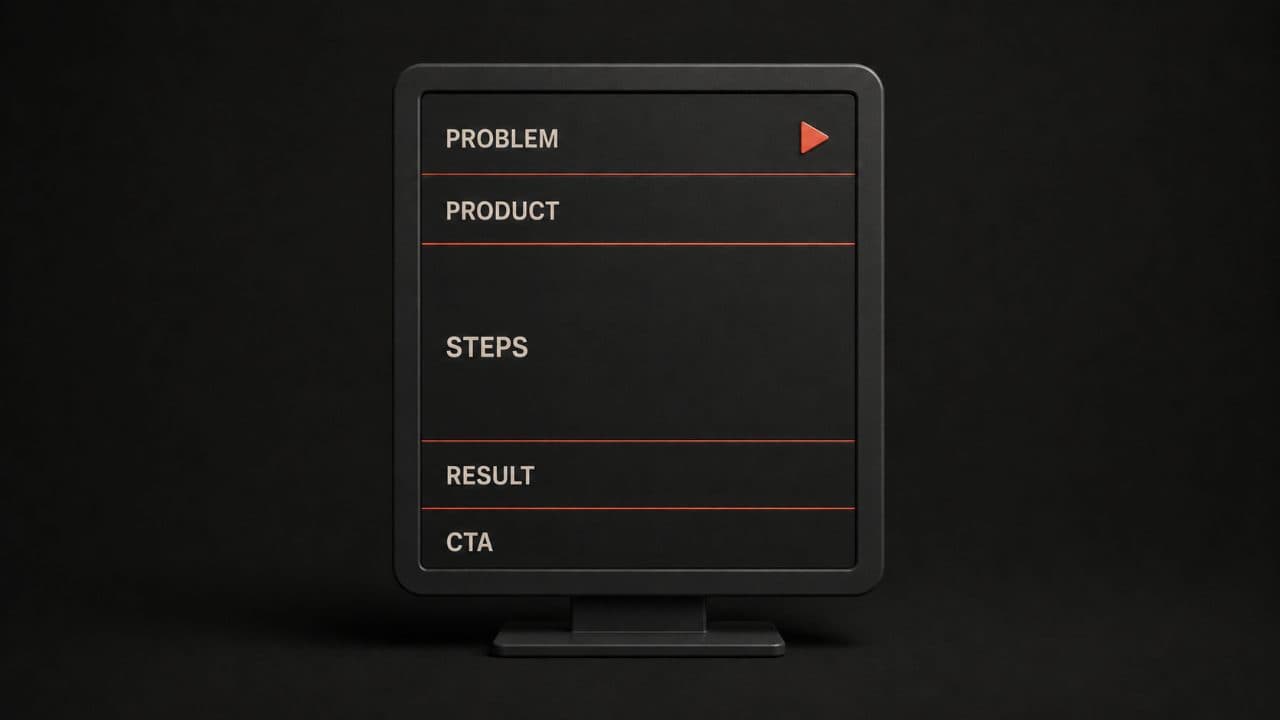
A great demo script follows a simple structure.
Start with the problem. Your viewer should understand why they're watching. "Scheduling meetings across time zones is a nightmare" or "Tracking inventory in spreadsheets is costing you thousands" immediately resonates.
Introduce your product. Show what tool you're talking about in the first 10 seconds. There's no reason to be mysterious here.
Walk through the solution step-by-step. Show the exact clicks, buttons, and screens viewers need to see. Go slow enough that viewers can follow along, but fast enough that they stay engaged. Spend about 20 to 30 seconds on each major feature.
Show the result. This is the most important part. After walking through your product, show what the viewer has accomplished. A report generated. Data exported. A task completed. Concrete results matter more than features.
Close with a call to action. Tell viewers what you want them to do next. Sign up for a free trial. Schedule a demo call. Request pricing. Be clear and make it easy.
A typical demo script is 300 to 500 words, which translates to about two to three minutes of video. Any longer than that, and you risk losing viewers. Any shorter, and you might not explain enough. If scripting from scratch feels slow, an AI video script generator can draft your first version in minutes.
Screen recording plus AI voiceover
The actual recording part is straightforward.
Open your product in a browser. Open your screen recording tool. Hit record and walk through your script. You don't need perfect audio. Most AI tools will generate a voiceover from your script anyway.
Once you have your screen recording, import it into your demo tool (like DeepReel or Synthesia). Paste in your script or upload a text file. The AI generates a voiceover that matches your footage. You can adjust the voiceover speed, choose from different voices, and add background music if you want.
The advantage is that the voiceover is always clear, always professional, and always in sync with your screen. You don't need a quiet room. You don't need perfect timing. The AI handles the hard parts.
Then you edit. Add text overlays that highlight important buttons. Zoom in on key features. Add transitions between sections. Most tools make this as simple as dragging elements onto a timeline.
Keeping your demos updated
Here's where AI demos really shine compared to traditional videos.
When your product changes, your demo becomes outdated fast. With traditional production, you'd need to hire someone to re-film and re-edit. That's expensive and it takes time.
With AI tools, you record a new screen capture, update your script to match the new flow, and regenerate the voiceover. No hiring. No waiting weeks. You're done in hours.
The key is treating demo scripts like you treat documentation. When you update your product, update your demo script. Keep a folder of your scripts in Google Docs or Notion so your whole team can access them. Every time someone spots an outdated demo, they can flag it and update the script in minutes.
This is especially important for sales enablement videos. If your sales team is showing outdated videos to prospects, you're hurting your credibility. Make it easy for them to grab the latest version from your internal systems.
How to distribute your demos
Creating a demo is half the battle. Getting people to watch it is the other half.
Your website: Embed demos on your homepage, pricing page, and feature pages. Embedded videos increase time on page and reduce bounce rates.
Sales emails: Include a demo link in follow-up emails. Instead of a long product explanation, let the video do the talking.
Email sequences: Use a product demo as part of your onboarding email series. If someone signs up for a trial, send them a short onboarding demo after day one.
Your help center: Onboarding and feature demos belong in your knowledge base. Help your new users find answers fast and reduce your support load.
LinkedIn and social media: Share short clips from your demos on social. Use them to spark conversations and drive traffic back to your full video.
Sales presentations: Have your team drop demos into Slack or Teams so remote prospects can watch during calls.
The most effective approach usually combines several channels. One company might embed demos on their website, include one in their outreach emails, and have sales reps share another during discovery calls.
FAQ
What makes a good product demo video?
A good demo shows your product solving a real problem in two to three minutes. It starts by explaining the problem, walks through the solution step-by-step, shows the result, and ends with a clear next step. The best demos focus on one specific use case rather than trying to cram in every feature. Clear audio, fast pacing, and actual screen recordings beat fancy graphics every time.
How long should a product demo video be?
Most effective demos are two to three minutes long. This is long enough to walk someone through a meaningful workflow but short enough that they'll actually watch the whole thing. Onboarding videos can be slightly shorter (90 seconds) while sales enablement videos might stretch to four or five minutes. Anything longer than five minutes tends to see viewers drop off significantly.
Can I update my product demo videos easily?
Yes. That is one of the biggest advantages of AI demo tools. Unlike traditional video production, you can update your script in minutes and regenerate the voiceover without any filming or editing expertise. This matters because most product demos become outdated within months as you ship new features and refine your UI. AI tools let you keep your demos fresh without the cost and time of traditional re-production.
Wrap up
An AI product demo video takes 30 minutes to create and costs a fraction of traditional production. Record your screen, write a short script, and let AI handle the voiceover and polish.
Start with your most important use case. Create one demo this week with DeepReel, embed it on your product page, and measure the conversion impact. Plans start at $5/month.