AI Sales Video: Personalize Outreach and Close More Deals
Your inbox is full. Mine too. So why should your next sales pitch be another wall of text?
Here's the problem: prospects get 100+ emails a day. A plain text message gets lost in the noise. But a personalized video with the prospect's name, their company, and a solution to their exact problem? That gets watched and replied to.
I've seen it happen. Sales teams that switch from email-only outreach to video-focused campaigns see 3x more replies. That's not a coincidence. Video breaks through the clutter because it feels personal and human in a way text can't.
Let's talk about why video outreach wins, how to create personalized videos at scale, and which AI tools actually deliver results.
Why AI sales video outreach beats text emails
Text emails are cheap to send. They're also cheap to ignore.
The stats tell the story. A typical cold email gets a 3-4% reply rate if you're doing well. Add a personalized video? You're now looking at 16% reply rates, sometimes higher. That's 4x better.
Why the jump? Because video does three things text can't.
First, video shows confidence. When you record yourself talking directly to a prospect by name, you're saying "I care enough to spend 30 seconds on you." Text says "I hit send on 200 of these today."
Second, video builds trust fast. Personalized video outreach achieves 25-30% reply rates, which is 6x higher than text emails. People connect with faces and voices. They see your energy, your enthusiasm, your genuine interest in solving their problem.
Third, video is memorable. Message retention with video is 95% versus 10% with text. You're not just asking for a meeting. You're making a lasting impression.
Let me give you hard numbers. Video emails get 2-3x more replies compared to plain-text outreach. Some teams report 300% higher click-through rates with video. Others see post-demo follow-up video campaigns book 46% more meetings.
If you're not using video in your sales outreach, you're missing the highest-converting channel available to SDRs right now.
How personalized AI sales video works at scale
The old way of making sales videos was painful. You'd record one video per prospect. Send 50 emails, record 50 videos. That takes hours.
AI removed that bottleneck.
Now you can create hundreds of personalized videos in minutes. Here's how it works.
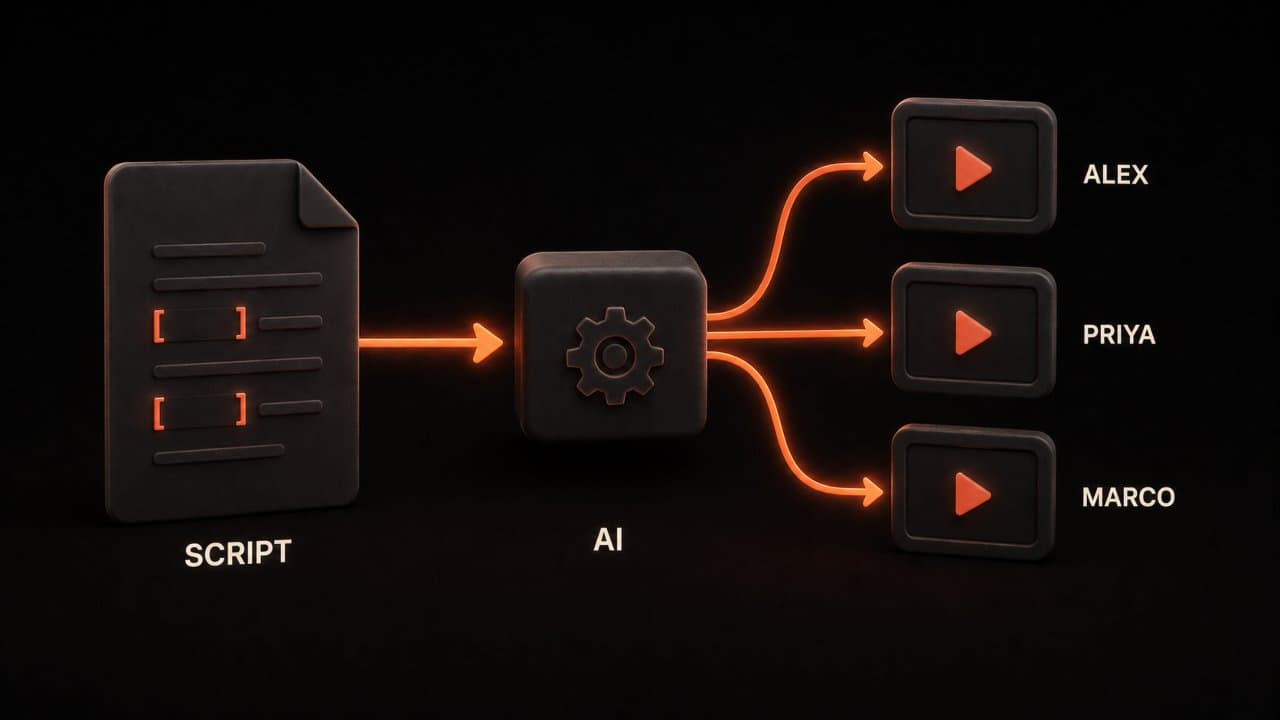
A personalized video pulls real data about your prospect. Their name. Their company. A pain point they're facing. Maybe their recent funding round or a job they posted. You write a simple script with blanks for these details: "Hi [PROSPECT NAME], I saw you're the [TITLE] at [COMPANY], and I noticed you're hiring for [ROLE]..."
The AI tool generates the video from your script. It speaks your words, inserts the prospect's details, and creates a unique video thumbnail with the person's name on it. You now have 100 personalized videos, each one feeling like you recorded it just for them.
The difference comes from personalization. Generic videos underperform. But dynamic personalized backgrounds and names see 2-3x higher engagement than generic thumbnails. People open it because they see their name. They watch it because it mentions their company or their problem.
The workflow: from research to results
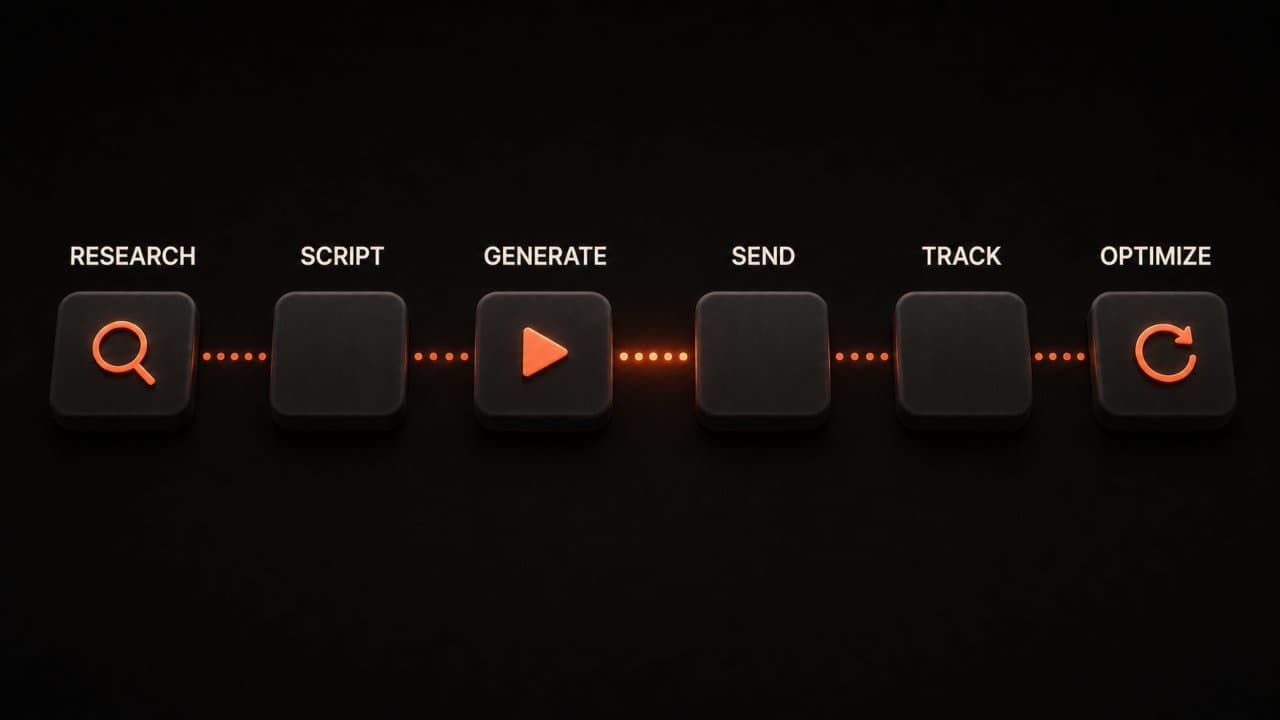
Here's how top-performing SDRs use AI video today.
Step 1: Research You find your prospect. LinkedIn, company website, recent news. You note their name, title, company, and what you know about their business. If they posted about looking for marketing help, budget cuts, or growth challenges, that's your hook.
Step 2: Write Your Script Keep it short. 30-45 seconds max. 68% of marketers report their highest click-through rates from videos under 90 seconds, and videos under 60 seconds receive 42% more engagement.
Your script should:
- Say their name
- Mention their company
- Reference their pain point
- Hint at your solution
- End with a clear ask (usually "Do you have 15 minutes Friday?")
Example: "Hi [NAME], I noticed [COMPANY] just [TRIGGER], and I've helped similar companies [RESULT]. I think I could save you [TIME/MONEY]. Would you be open to a quick call?"
Step 3: Generate Videos Upload your prospect list to your AI video tool. Plug in the script. Hit generate. The system creates one unique video per prospect in minutes.
Step 4: Send Through Email Embed the video in an email or send a link. Some tools integrate directly with your email platform or CRM, so the video appears right in the prospect's inbox.
Step 5: Track Results Monitor open rates, video watch time, click-through rates, and reply rates. Most tools show you which prospects watched, how far they got through the video, and what they did next.
Step 6: Measure and Optimize What scripts get the most replies? What call-to-actions work best? What prospects do you need to follow up with? Use these insights to improve your next batch.
Best AI video tools for sales
You have options. Here's what's actually working in 2026.
DeepReel
DeepReel is built for this exact use case. You upload a list of prospects, write one script, and DeepReel generates personalized videos for each one. The interface is fast, the videos look professional, and the integration with email and CRM tools works right away.
Pricing is simple: $5/month for beginners (100 video credits), $25/month for growing teams (1,000 credits), or $30/month for sales departments at scale (3,000 credits). If you're sending 20-50 videos a week, the $25 plan pays for itself in extra meetings booked.
Vidyard
Vidyard is a leader in AI SDRs and personalized video workflows. They offer AI-powered video creation, email integration, and detailed analytics. If you want a full platform for AI-driven sales development, Vidyard is a solid choice.
Loom
Loom started as a screen recording tool but has become a full video platform. You can record videos, send them via email, and see who watched and for how long. The personalization isn't as automated as DeepReel, but it's simpler for teams that want to record videos themselves.
BombBomb
BombBomb focuses on video email and relationship building. They let you record one video and send it to hundreds of prospects with customizable thumbnails. Not as personalized as script-based AI video, but faster for teams that like recording.
HippoVideo
HippoVideo offers personalized video creation, email tracking, and sales automation. Good for teams looking for an all-in-one video and email platform with CRM integration.
All these tools share one core value: they make video outreach easy and scalable. The differences are in features, pricing, and ease of use.
Email integration and follow-up strategy
A video by itself doesn't close deals. It's part of a sequence.
The best practice is to send your personalized video as the first or second touch in a multi-touch sequence. Your email should:
- Be short. 2-3 sentences, max. You want them to hit play, not read a wall of text.
- Explain the video. "Quick thought on your [PAIN POINT]" or "I made this for you."
- Add one clear ask. "Watch this quick message and let me know if you see value?"
- End with urgency, not pressure. "I'm only reaching out to a few people this week" feels different from "CALL ME NOW!!!"
Then follow up. Your sequence might look like:
Day 1: Video email Day 3: Quick text follow-up (no video) Day 7: Another personalized video, a customer video testimonial from a similar client, or value-add content Day 10: Final attempt
The key is mixing video with other touches. Video gets attention. But a well-timed follow-up closes meetings.
Measuring what actually works
You need to know what's working. Otherwise, you're just guessing.
Track these metrics:
Open Rate: What percent of people opened the email? Video emails should see higher open rates (30-50%+) because of the engaging thumbnail.
Watch Rate: What percent actually hit play? Not everyone who opens an email watches the video. If your watch rate is under 30%, your subject line or preview text needs work.
Watch Duration: Did people watch the whole thing or bail at 5 seconds? If they're leaving early, your script is too slow or unclear.
Reply Rate: How many people wrote back? This is the number that matters most. You're not measuring views; you're measuring meetings.
Meetings Booked: The final metric. Did your video campaign actually lead to conversations? Track how many proposals, demos, or sales calls came from video outreach versus text.
Most AI video tools show you all of this data. If yours doesn't, it's not the right tool.
Here's what I've seen: teams that obsess over these metrics improve 30% month-over-month. They test scripts, change up pain points, adjust their call-to-action, and keep what works.
The script that gets replies
I have tested dozens of video scripts. Here is the structure that consistently gets the highest reply rates.
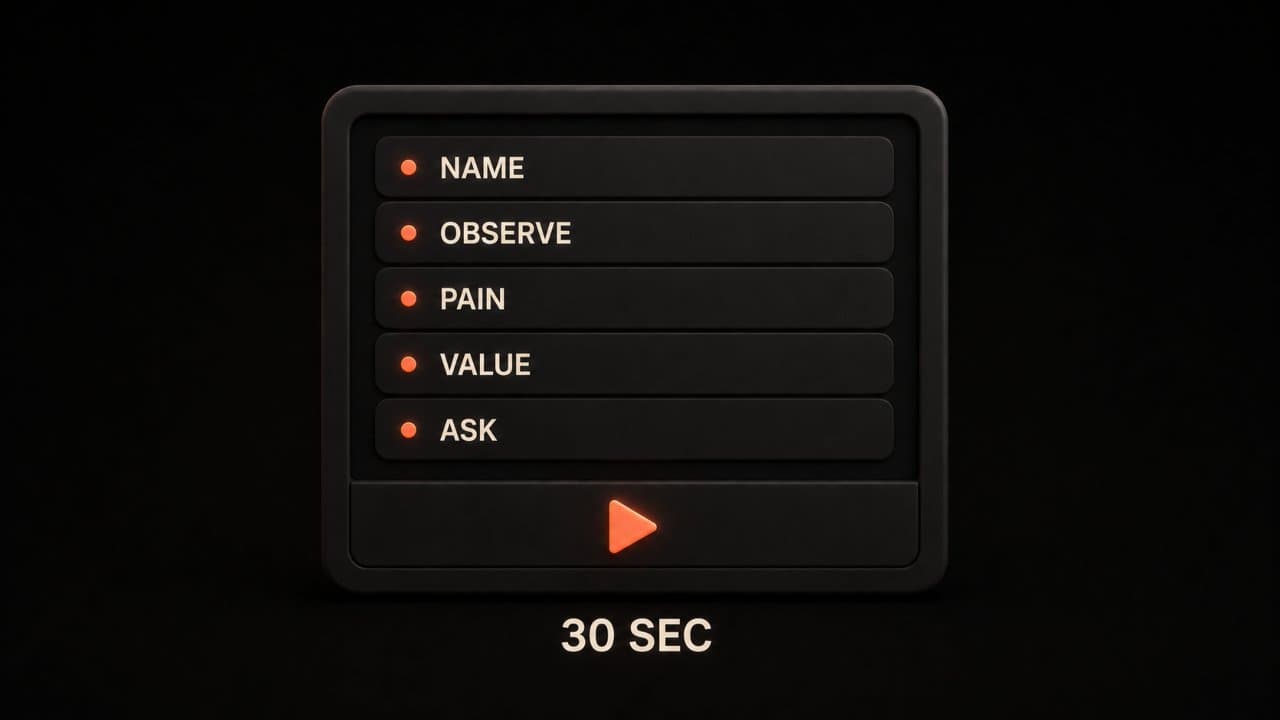
The 30-second personalized sales video script:
Open with their name. "Hey [Name], quick message for you."
State the observation. One sentence about something specific to their company. "I noticed [Company] just launched a new product line" or "I saw your team is hiring three account executives."
Connect to the pain point. "Companies scaling that fast usually run into [specific problem]."
Bridge to value. "We helped [similar company] solve that in [timeframe]. I made a quick breakdown of how."
Ask for the meeting. "Worth a 15-minute call this week?"
That is it. Five sentences. Thirty seconds. No fluff.
The key is the observation. It proves you did research. It proves this is not a mass email. It makes the prospect feel seen.
I keep a swipe file of observations that work: recent funding rounds, new product launches, job postings (they reveal growth priorities), conference appearances, LinkedIn posts, and quarterly earnings mentions.
Spend 3 minutes researching. Spend 1 minute writing the script. Spend 30 seconds recording (or let AI generate it). That is 4.5 minutes per prospect for a 3x higher reply rate.
Scaling without losing the personal touch
The biggest objection I hear: "Personalized video does not scale."
It does. You just need the right system.
With AI video tools like DeepReel, you write one script template with placeholder variables. The AI swaps in the prospect's name, company, and pain point for each video. You review the output. You send.
A single SDR can produce 20-30 personalized videos per day with this approach. That is 100-150 per week. That is 500+ per month.
Compare that to manually recording each video on Loom. You would max out at 10-15 per day before burning out.
The AI handles the repetitive parts. You handle the strategy: which prospects to target, what pain points to reference, and what offer to make.
Some teams go further. They create video sequences, not just single touches. The first video is a cold introduction. The second is a case study walkthrough. The third is a quick demo snippet. For higher-stakes deals, a dedicated AI pitch video tailored to the prospect's buying committee can accelerate the close. All personalized. All generated at scale.
Real numbers: why video wins
Let me tie this back to numbers that matter to your boss.
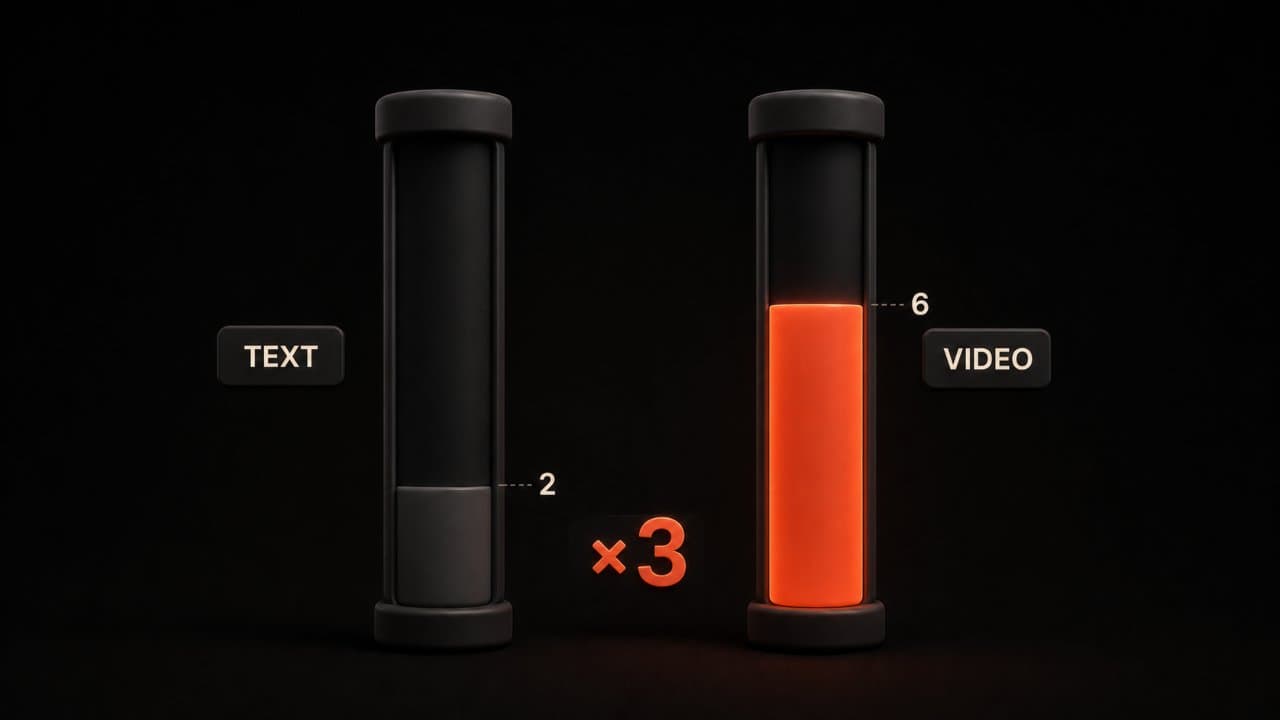
If you send 50 text emails a week at a 4% reply rate, you get 2 meetings.
Switch to video. You hit 12% reply rate. Now you get 6 meetings from the same 50 emails.
That's 4 extra meetings a week. If 25% of those meetings become opportunities and your average deal is $50,000, you just added $200,000 in pipeline from the same prospecting effort.
The math works because video emails generate 2-3x more replies than plain text. Not sometimes. Not for some industries. Consistently.
Add personalization (prospect name, their company, their problem), and you're not just getting 3x more replies. You're getting better-qualified prospects who are already warm to your message.
Getting started: your next step
You don't need to overhaul your entire sales process tomorrow.
Pick one person on your team. Give them 2 hours. Have them write 10 personalized video scripts using the template I gave you. Use DeepReel or one of the other tools to generate those videos. Send them out.
Track the results. Compare the reply rate to their normal cold emails.
I bet you'll see the difference in the first week.
Then scale it. If it works for one SDR, it works for your whole team. A small investment in the right tool pays back in days. Sales video fits naturally into a broader AI video marketing strategy that covers every stage of the funnel.
FAQ
Does every prospect watch personalized videos?
No. Your watch rate will typically be 30-60%, depending on your subject line and industry. But that's still better than the 1-2% click-through rate on text emails. And the people who do watch are more engaged. Quality over quantity.
How long should my video be?
Keep it under 60 seconds. The sweet spot for maximum engagement is 30-45 seconds. You're not giving a pitch. You're starting a conversation. Get to the point, show you understand their situation, and ask for the meeting.
Can I reuse the same video for multiple prospects?
Not if you want the 3x response boost. Generic videos underperform because they don't feel personal. The personalization (their name, their company, their specific pain point) is what drives engagement. That said, you can reuse templates and scripts; just plug in the unique details for each prospect.
Wrap up
Personalized AI sales video outreach consistently delivers 3x or more replies compared to text-only emails. The workflow is straightforward: research the prospect, write a short script, generate the video with DeepReel, and send.
Start with 10 prospects this week. Compare the reply rate to your normal cold emails. If the numbers hold, scale it to your full team.