AI Video Script Generator: Write Scripts That Hook Viewers
What if you could write a professional video script in minutes instead of hours?
An AI video script generator does exactly that. It takes your ideas, your topic, or even just a headline and turns them into a ready-to-film script. No more staring at a blank page. No more second-guessing your hook.
The stats back this up. 87% of creative professionals now use AI tools for video creation. The AI video market hit $946 million in 2026, and it's only growing. But here's the thing: having an AI script generator is one thing. Using it well is another.
I'm going to show you everything you need to know. What these tools actually do. How to pick the right one. How to write scripts that hook viewers in the first three seconds. And how to avoid the common mistakes that make videos flop.
What does an AI video script generator actually do?
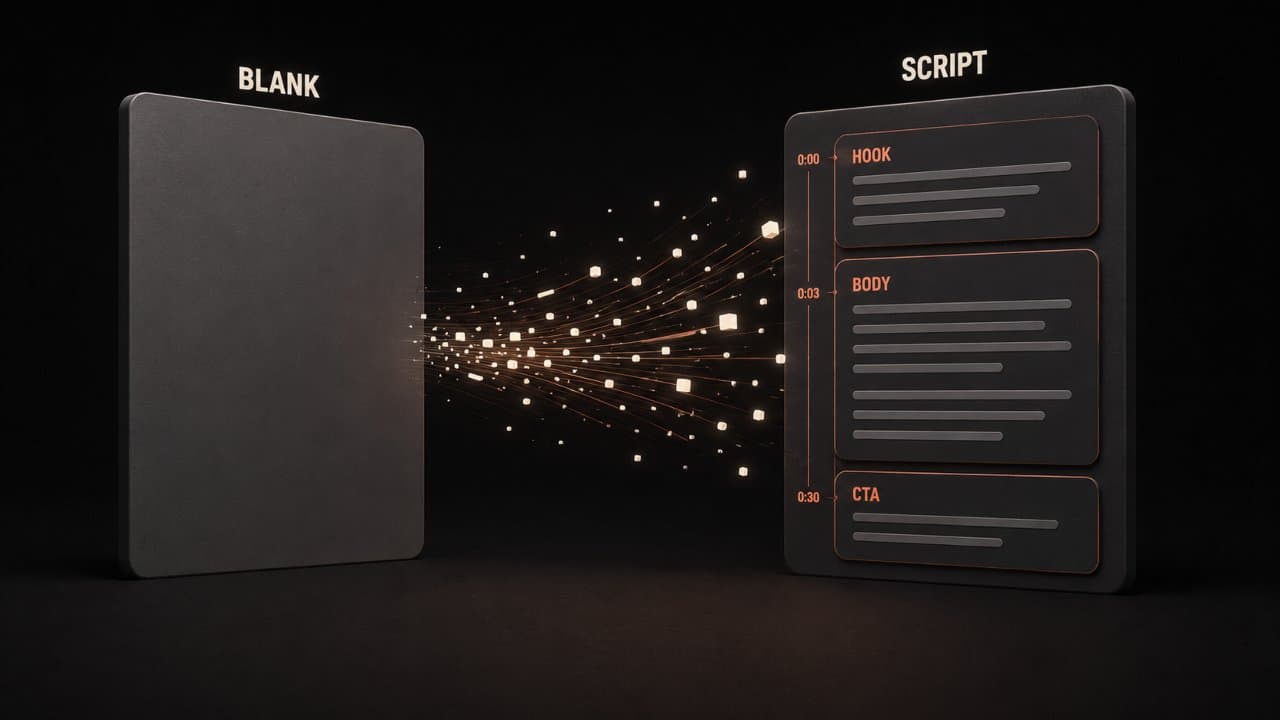
Let me be real with you. An AI script generator isn't magic. It won't write you an award-winning screenplay overnight.
What it will do: take your raw idea and structure it. It handles the boring stuff. The transitions. The pacing. The call-to-action at the end. You give it a topic, a tone, and maybe some key points, and it spits out a draft in seconds.
Think of it like having a writing assistant who never sleeps and works for five bucks a month. According to 75 AI Video Statistics from VIVideo, 87% of creative professionals now use AI tools for video. That's the adoption rate of tools like these.
The best generators understand different formats. YouTube scripts look different from TikTok scripts. LinkedIn scripts sound different from Instagram Reels. A good AI generator knows these differences and adapts.
It also saves you time in the research phase. These tools can dig into trending topics, suggest hooks that work, and flag pacing issues before you even hit record.
Here's what happens behind the scenes. You input your topic. The AI analyzes what makes videos perform well on that topic. It studies the rhythm of successful scripts. The patterns that keep people watching. Then it generates a first draft that follows those patterns.
Some generators go deeper. They'll analyze your previous scripts, learn your voice, and adapt to match it. They'll suggest B-roll moments. They'll flag places where you should add graphics or on-screen text. They'll even suggest music timing.
The best AI video script generators (and what they're good at)
ChatGPT
ChatGPT is free to start. You can prompt it with almost anything and get a workable script back.
The pro: flexibility. You can refine your prompts over multiple turns and really dial in what you want.
The con: you have to manage the output yourself. No templates. No video-specific formatting built in.
Juma
Juma specializes in short-form video scripts for TikTok, Instagram Reels, and YouTube Shorts.
It learns your style after a few prompts and adapts. Good if you're creating tons of short content and want consistency.
Veed.io
Veed combines script generation with video editing. You write (or generate) a script, and you can turn it into a full video without leaving the platform.
Great for people who want everything in one place.
Squibler
Squibler is built for creators. It has script templates for different video types. You fill in a few fields, and it generates the framework.
It's faster than ChatGPT but less flexible.
InVideo AI
InVideo AI generates scripts and videos from a single prompt. Just describe what you want, and it builds the whole thing.
Perfect if you're new to video creation and want to skip the technical stuff.
DeepReel
DeepReel lets you generate scripts tailored to your brand voice and content goals. Then you can create AI videos with custom avatars, voiceovers, and B-roll, all in the platform.
Pricing is straightforward: $5/month for 10 videos, $25/month for 100 videos, or $30/month for unlimited. Perfect if you're cranking out videos regularly.
The advantage is integration. Script, voiceover, editing, and publishing all happen in one workflow.
How to structure a script that hooks viewers
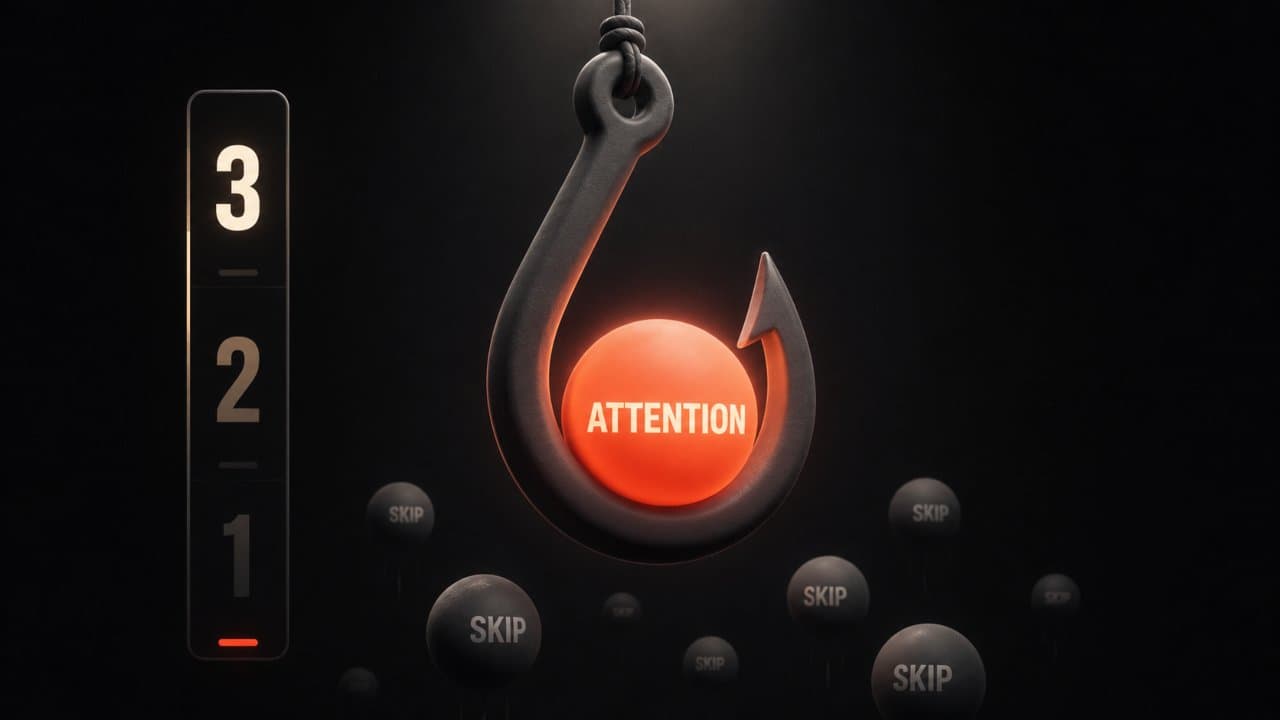
Here's what I learned from researching thousands of successful videos: the best scripts all follow the same bones. Our AI scriptwriting guide covers the craft side in depth. This section gives you the structural framework.
The hook (first 3 seconds)
You have three seconds to stop the scroll. That's it.
The hook isn't polite. It's not a warm introduction. It's a promise. A question. A bold claim.
"What if I told you that 87% of creators are already using this?" That's a hook.
"I tried this technique, and my views jumped 300%." That's a hook.
"This mistake is killing your engagement." That's a hook.
The hook should tap into one of three things: curiosity (the viewer wants to know the answer), self-interest (the viewer thinks this will help them), or surprise (something unexpected happens). Research on TikTok hook formulas shows that hooks using curiosity gaps and pattern interruption get 3x more views than standard intros.
Match the hook with on-screen text. If you say three tips, show "3 TIPS" on screen right away. Make the viewer's eyes track what their ears hear.
The body (middle section)
Now that you've stopped the scroll, keep them watching.
Pick two to four main points. Not eight. Not ten. Two to four.
For each point, show, don't tell. If you're teaching a technique, show it in action. If you're explaining a concept, use examples or visuals.
Write the way you talk. Short sentences. Simple words. Mix the length so it doesn't feel robotic.
"You need a hook. Period. Three seconds. That's your window." feels more real than "The implementation of an effective opening sequence is paramount to viewer retention."
Use transitions to connect ideas. "So here's what I learned" or "That brings me to point two" keeps the flow moving.
One more thing: vary your sentence structure. Don't let every line be short. Sometimes, you want a longer sentence that breathes a little. But mostly, keep it tight. Tighter than you think you need to go.
The AI might give you longer paragraphs. Break them down. One idea per sentence. One sentence leads to the next. That's how real conversation flows.
The call-to-action (last 10-15 seconds)
Don't mumble at the end. Tell people exactly what you want them to do.
Subscribe. Comment. Click the link. Share this video. Sign up for the email.
One action. Not five.
"If this helped, smash that subscribe button so you don't miss the next one." That's clear.
Platform-specific AI video script generator tips
YouTube scripts
YouTube viewers expect more depth. They're willing to sit through a 10-minute video if it's good. MediaShower's guide on creating scripts with AI shows that YouTube scripts need stronger narrative structures than short-form content.
Your hook still needs to be strong, but you have more room to explain and explore.
Use chapters (timestamps) in your description. They help with video SEO and let viewers jump to the section they care about. In your script, signal when you're moving to a new chapter so the editing makes sense.
TikTok scripts
TikTok is speed and personality. 15 to 60 seconds of pure energy.
Every second counts. No filler. No long explanations. Get to the point and move on.
Hooks are even more critical on TikTok. Studies show that the first half-second is make-or-break.
Write shorter sentences. Add more transitions. Use captions to reinforce the spoken message.
LinkedIn scripts
LinkedIn audiences are professionals. They want value or insight, not entertainment.
Your hook can be a question that challenges their thinking or a stat that surprises them.
The body should teach something useful or share a real experience. Vulnerability works on LinkedIn. So does specificity. This is also where sales videos perform strongest. Scripts built for LinkedIn need to balance authority with approachability.
Instagram Reels
Instagram Reels are somewhere between TikTok and YouTube. Quick, but not as rushed.
Hooks matter, but you have a little more time to establish context.
How to edit and improve an AI-generated script
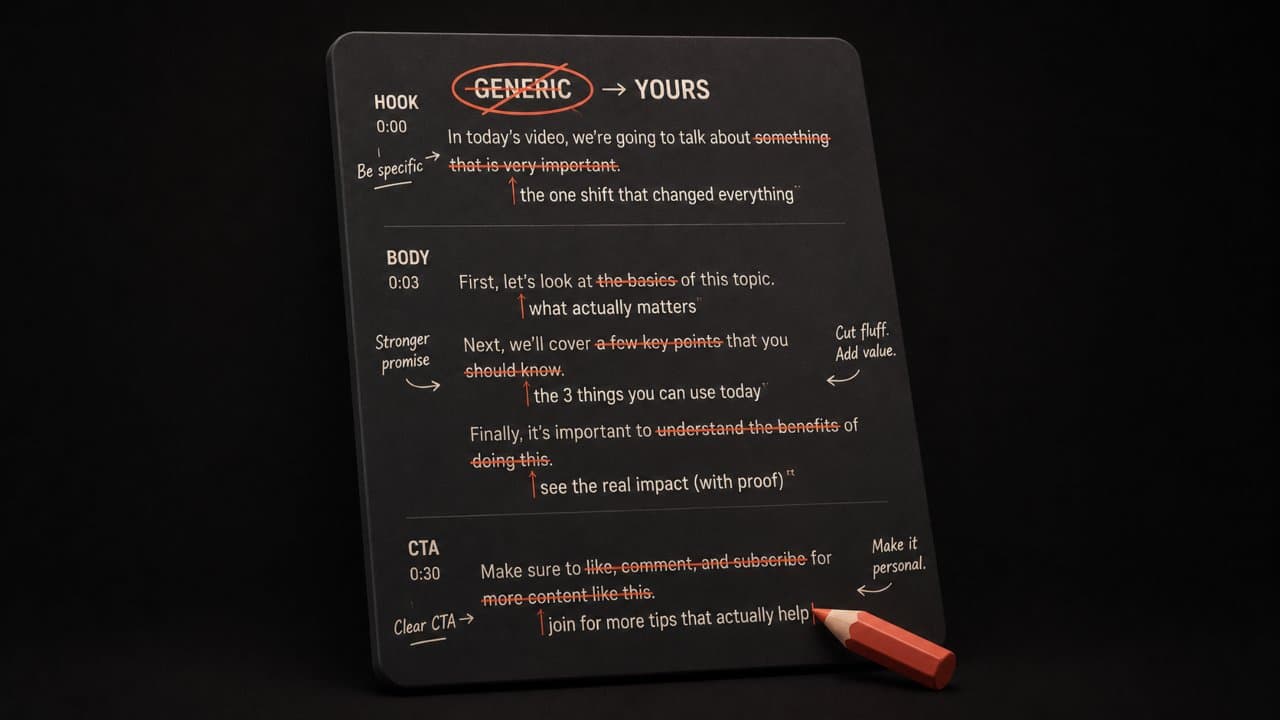
The AI doesn't know your voice yet. So expect to do edits.
Read the script out loud. Seriously. If you stumble over a line, rewrite it. If it doesn't sound like you, change it.
Cut jargon. Replace "use" with "use." Swap "enhance" for "improve." Your script should be conversational, not corporate. Look for words that feel stiff or formal. That's a red flag.
Check the structure. Hook, body, CTA. Does the script flow like a conversation with a friend, or does it feel like a list?
Tighten the hook. Most AI generators play it safe. Make it bolder. Make it more specific to your audience.
Add specificity. "This video" is weak. "This AI script generator cuts my writing time from four hours to fifteen minutes" is strong. Numbers work. Specific examples work. Vague promises don't.
Add your personality. If you're funny, inject humor. If you're serious, lean into authority. The AI baseline is neutral. You're not neutral.
One edit I always make: cut the first line or two. The AI often warms up as it goes. Your second or third sentence is usually better than your first. Delete the warm-up.
Common script-writing mistakes to avoid
Opening with "in today's world"
Everyone opens with this. It's weak. It wastes precious seconds.
Start with something specific to your video. Your hook. Your promise. Your angle. Make it real.
Cramming too much in
I see this all the time. Creators try to fit ten ideas into a five-minute video.
Pick your three strongest points and build the whole script around them. Quality beats quantity every time.
Forgetting the viewer
Write for one person. Not "viewers." One person.
Imagine you're texting a friend who's interested in this topic. What would you say? How would you say it? That's your tone. Use it.
Ignoring platform differences
A YouTube script doesn't work as a TikTok script. They're different formats. Different pacing. Different expectations.
Adapt your script to the platform. Spend time on TikTok. Watch how scripts work there. YouTube's rhythm is different. Learn both.
Skipping the voiceover edit
Your voiceover should sound natural. If you're reading a script, try reading it with pauses. With emphasis. With rhythm.
Mark up your script with notes. "Slow down here." "Pause for effect." "Emphasize this word." These details matter.
The AI-generated script is a skeleton. You're adding the life. Don't skip this step.
Assuming the first draft is done
It's not. An AI script always needs work. This isn't a flaw. It's how the tool works.
Treat the AI output as a starting point, not a finish line. You're the editor. You're the quality control. Make it yours.
The real cost of traditional video scripts
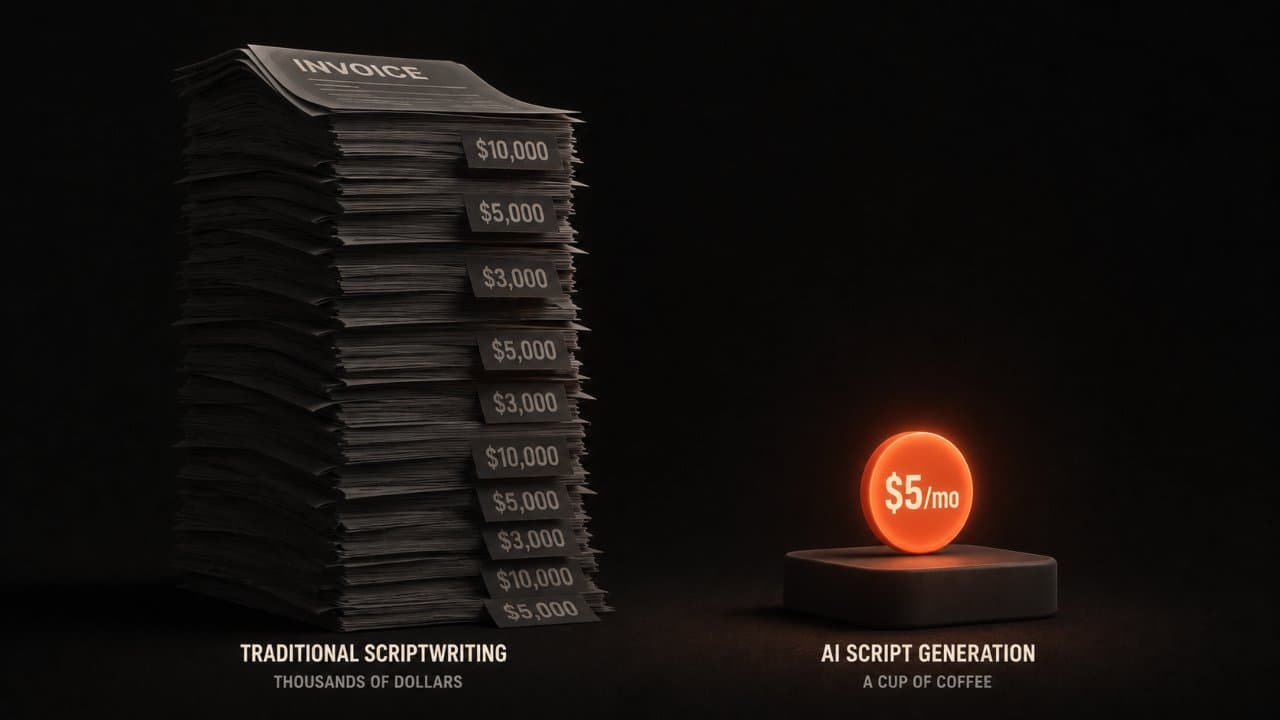
Let me put this in perspective.
A traditional scriptwriter charges $1,000 to $5,000 for a single script. A video production house charges $5,000 to $15,000 per video, and it takes 3 to 6 weeks. According to AI Video Generator Market research, the shift to AI tools is saving businesses an average of 60% on production costs.
An AI script generator costs $5 to $30 per month and gives you a draft in minutes.
That's not just faster. That's a complete business model shift. You go from paying thousands per script to paying pennies.
Small creators who couldn't afford writers before can now compete with people who have teams. A solo creator can produce one video per day. A traditional production house can maybe do one per week at that price point.
The economics are brutal for old-school production houses. The opportunity is real for creators who embrace AI tools early.
How AI video script generators fit into your workflow
Step one: Pick your topic and your key points.
Step two: Feed these into your AI generator (or DeepReel) and get a first draft. This takes minutes.
Step three: Read it out loud, make edits, add your personality. Mark it up. Make it yours.
Step four: Rehearse with it. Time it. Make sure it feels natural when you say it. Record yourself saying it.
Step five: Record or generate your video using the final script. If you're scripting a product demo, the visual planning starts here. Map your script sections to screen recordings or feature walkthroughs. For explainer videos, your script maps directly to the hook-problem-solution format. If you're using DeepReel, you can generate the video from the script directly.
This entire process takes an hour. Maybe two for longer content.
Compare that to sitting down with a blank document and three hours later, you've written 30 seconds of usable script. You see the difference?
One more thing: save your scripts. After your first few videos, you'll have a library of scripts you wrote. Use them as templates for future projects. The AI learns from examples. If you show it scripts you like, it can generate similar ones.
Why DeepReel is different
Most AI script generators stop at the script. You still have to find voiceover talent, source B-roll, edit the video, and publish.
DeepReel integrates scripts with voiceovers, avatars, and full video generation. You write the script in DeepReel, and the platform can produce the video.
The pricing matches real creators' needs:
$5/month gets you 10 videos (perfect for testing).
$25/month gets you 100 videos (great for consistent content).
$30/month gets unlimited videos (for serious creators and agencies).
You're not paying for a software license. You're paying for production power.
FAQ
Will an AI video script generator replace human writers?
No. AI generators speed up the process and handle the structure, but they don't understand your specific brand voice or your audience the way a human does. Think of AI as a co-writer, not a replacement. The best results come from humans refining AI output.
How long does it actually take to generate a script?
Most generators produce a first draft in 30 seconds to two minutes. The edit and refinement phase takes longer, maybe 15 to 30 minutes depending on how much you want to customize it. So from start to finish, a usable script takes about 30 to 45 minutes.
Can I use AI scripts for commercial content?
Yes, but check your tool's terms. Most commercial-grade generators (like DeepReel) explicitly allow commercial use. Free tools like ChatGPT have gray areas. If you're making money from the video, use a tool that clearly permits commercial use. DeepReel's pricing includes commercial rights across all plans.
Wrap up
An AI video script generator cuts the hardest part of video production down to minutes. Pick your topic, generate a draft, edit it into your voice, and record. The whole process takes under an hour.
Start with one script this week using DeepReel. Generate it, read it out loud, make your edits, and hit record. For more on turning those scripts into full videos, see our guide to AI video for social media managers.