AI video for internal communications: keep every employee informed
Your CEO just wrapped up an important company update. You send it out via email. A week later, you ask 100 people what was announced, and maybe 10 of them remember the key points.
Now imagine sending that same message as a short video. A week later, 95 of those same people remember what was said. That's the power of video in internal communications.
The reality of employee communication today
Most companies still rely on emails, documents, and text-based updates to keep teams informed. But here's the problem: employees are drowning in information. Your average worker gets over 100 emails per day. They're juggling Slack messages, Teams notifications, and endless doc links. Text-based updates get lost in the noise.
Video cuts through that clutter. It demands attention in a way that a long email never will.
Employees retain 95% of video content compared to just 10% when reading text. That's not a small difference. That's a gap that should make every HR and communications leader pay attention. When you want your message to stick, video is simply more effective.
But creating video used to be hard. You needed a camera, a crew, video editing software, and weeks of time. That's all changed. AI-powered video tools now let anyone create professional videos in minutes.
Why your employees prefer AI video for internal communications
Let's talk about why video works so much better than text. Your brain processes visual information 60,000 times faster than text. When you watch a video, you're using multiple senses at once. You see the speaker, hear their tone, watch their body language. All of that together creates a memory that sticks.
It's also harder to ignore. When an email lands in your inbox, you can delete it. When a video appears in Slack, it's right there waiting for you. The format itself makes it more likely you'll actually watch it.
And there's something else: connection. Employees want to see their leaders and hear directly from them. A video message feels personal, even if it's being sent to thousands of people. Text feels cold by comparison.
That's why nearly 8 out of 10 employees prefer to be informed through video content. It's not a preference. It's becoming an expectation.
Real use cases for AI video in your company
Let's look at how AI video actually solves problems that your team is facing right now.
CEO and Leadership Updates
Your CEO has big news. A new acquisition. A strategic direction change. A company milestone. These are moments when you need everyone on the same page. A CEO video update in Slack reaches everyone in seconds. It creates transparency. It shows employees the person actually leading the company.
The challenge with text updates is the perception gap. 54% of executives think they're communicating major updates at least weekly, but only 20% of employees feel that information. Video closes that gap. Employees watch the CEO speak and feel like they actually heard the message.
Onboarding New Employees
Day one at a new company is overwhelming. You're meeting dozens of people. You need to learn the culture, find the bathroom, remember everyone's names. Then someone hands you a 50-page onboarding guide and tells you to read it.
With AI video, you can create short clips that walk new hires through your process. Here's how we do things here. Here's our culture. Here's what success looks like. A video feels welcoming. A document feels like busywork. For a deeper look at video-powered hiring and onboarding, see our guide to AI video for HR and recruitment.
Policy Changes and Compliance Training
You've got a new remote work policy. Or a data security update. Or a benefits change that everyone needs to understand. This is the kind of information that's boring to read but critical to learn.
An AI video from your HR team explaining the policy takes 10 minutes to watch instead of 30 minutes to read. Employees actually finish it. And they remember it.
Team Announcements and Recognition
Your team just landed a major deal. Someone hit a big milestone. You want to celebrate and recognize the people involved. A video message from leadership does this better than an email. It's genuine. It's human.
Training and Skill Development
You're rolling out a new tool. Your team needs to learn it. Instead of a 20-page manual, create 5-minute video tutorials. Training through video is 83% easier for employees to recall compared to text-based methods.
How AI video tools have changed internal communications
Five years ago, creating internal video meant hiring a video production company. Now you can do it yourself with AI.
Here's what these tools do: You write a script (or use AI to generate one). You pick an AI avatar or have the tool use real footage of a person. You add your branding, maybe some text overlays, and hit publish. The whole thing takes 20 minutes.
DeepReel (starting at $5/month) focuses on simplicity. Create a video, add your message, and share it. No complex workflows. Their higher plans run $25 and $30 per month. The platform is designed for teams that want to move fast without learning a complicated interface.
You don't need any video experience. Just type your script, select a voice and avatar, customize colors to match your brand, and publish. The whole process is designed to take minutes, not hours. For HR teams or communications departments running lean, this speed is everything.
Synthesia offers more advanced features. Their Starter plan is $18/month (billed yearly), with options up to $64/month. They have hundreds of AI avatars and support for 160+ languages. The trade-off is more complexity.
Synthesia shines when you need professional polish or want to work at real scale. You can create custom avatars that look like your actual team members. You can translate a single video into dozens of languages automatically. You get access to premium features and priority support. If you're an enterprise company rolling out video across thousands of employees, Synthesia can handle that load.
Loom takes a different approach. It's designed for screen recording and quick video messages. Great for tutorials and quick updates. Pricing starts at free, with paid plans at $5/month and $10/month.
Loom is perfect if you want to record your screen while talking. Showing someone how to use a tool? Record your desktop and narrate as you go. Loom captures everything, then lets you edit and share in seconds. It's not an AI video tool in the same way as Synthesia or DeepReel, but it's invaluable for quick how-to content and team updates.
Vidyard is built for professional video at scale. Their Starter plan is $59/user/month, with Teams at $99/user/month. If you need enterprise features, pricing is custom. Vidyard includes analytics, CRM integrations, and personalization features.
Vidyard is the heavy hitter. It's built for large organizations that want complete control over their video strategy. You get detailed analytics on who watched what and when. You can personalize videos for different audiences. You can integrate with your HR systems and CRM. The cost is higher, but if you're rolling out a company-wide video strategy, the features justify it.
The right tool depends on your needs. If you want simplicity and speed, DeepReel or Loom work well. If you need advanced features and scale, look at Synthesia (or one of these Synthesia alternatives) or Vidyard. For most companies starting their video journey, DeepReel offers the best balance of ease and power.
Getting AI video into your communications workflow
Creating great videos is only half the battle. You also need a way to actually reach your employees.
Slack
Most companies use Slack for internal communication anyway. Post your AI video directly in a channel and it shows up in everyone's feed. It's immediate and visible.
The advantage of Slack is that it's where your team already lives. They're checking Slack multiple times per day. If your video is there, they'll see it. You can also use threads to provide context, answer questions, or share additional resources.
The disadvantage is that Slack messages can get buried. A video posted at 9am might be scrolled past by someone who logs in at 2pm. Consider posting important videos multiple times, or using Slack's reminder feature to surface it again.
Microsoft Teams
If your company uses Teams, same thing. Post to a channel and it gets attention. The beauty of this approach is that your message lives alongside the conversations people are already having.
Teams has a slight advantage over Slack in that it's better integrated with Office 365 and enterprise tools. You can embed videos directly from your internal content library. You can set notifications so team members know when important videos are shared.
Your Intranet or Internal Portal
Create a video section on your company intranet. New employees can find onboarding videos. Everyone can access CEO updates and company news. This creates a searchable library of company communication.
This is the long-term play. While Slack and Teams are good for immediate announcements, your intranet is where you build a knowledge base. Employees can search for videos by topic. New hires can access all onboarding content in one place. Someone joining the sales team can find all training videos for their role.
You can still use email. Include a video thumbnail with a link, or embed the video directly. The advantage here is that you're reaching people wherever they check their email, not just when they're logged into Slack or Teams.
Email has another advantage: deliverability. Everyone checks email. Not everyone uses Slack or Teams. If you want to reach 100% of your employees, email is still necessary. But instead of sending a 2-page policy explanation, send a link to a 3-minute video. Much better engagement.
Video Update Channels
Some companies create dedicated Slack or Teams channels just for video updates. Leadership Announcements. Company Updates. HR News. This keeps video content organized and easy to find.
The benefit of dedicated channels is that employees know where to look for specific types of information. Instead of having videos scattered across a dozen different channels, there's one official place for company announcements. New employees quickly learn where to go for different types of information.
Measuring engagement and impact
This is where it gets fun. With AI video, you can actually see who watched your message.
Most platforms show you:
- How many people opened the video
- How long they watched it (did they bail after 30 seconds or watch all the way through?)
- When they watched it
- Which employees haven't watched yet
This data is powerful. If 80% of your company watched the CEO update and watched it all the way through, you know the message landed. If 30% of people only watched the first minute, you might need to make videos shorter or more engaging.
You can also correlate video engagement with outcomes. Did employees who watched the onboarding videos have higher retention rates? Did people who saw the policy update perform better on the compliance test? These connections help you prove the value of the program to your leadership team.
Building your measurement framework
Start by defining what success looks like for your video. Is it viewership? Completion rate? Did people take the action you asked them to take?
For a CEO update, success might mean 75% of employees watched it within 48 hours. For training content, it might be 90% completion rate with a passing score on a follow-up quiz. For onboarding, it might be new hire satisfaction scores improving by 20%.
The metrics you choose will vary based on the type of content. But the principle is the same: measure what matters to your business. Then use that data to improve future videos.
Using engagement data to improve
Once you have data, don't just look at the numbers. Dig deeper. If completion rate drops off at the 5-minute mark, you know people are tuning out. Next video, keep it under 5 minutes.
If a certain department has very low engagement, maybe the content isn't relevant to them. Or maybe they need a different format. Dig into feedback. Ask employees what would work better.
The best organizations use video engagement data the same way they use other business metrics. They set targets. They measure performance. They iterate. They get better over time.
Going global: multilingual video for remote teams
If your company has employees spread across the world, language becomes an issue. But AI video solves this.
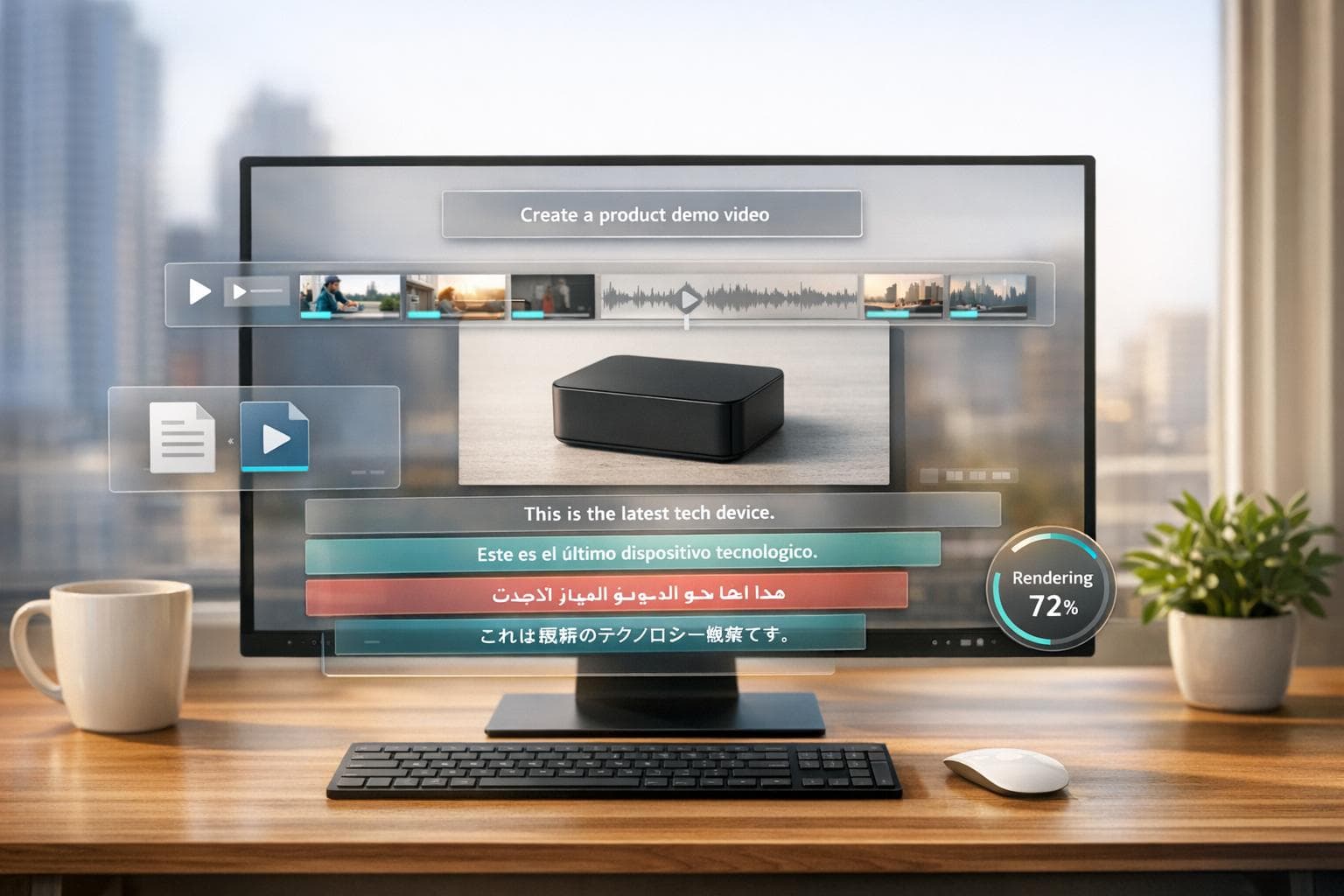
AI can automatically translate video content into 29 languages in just a few minutes. Your CEO records an update in English. Within hours, it's available to watch in Spanish, French, Mandarin, and a dozen other languages.
This is more than just translation. The AI matches lip movements to the new language. It sounds natural. Employees in Tokyo see a video that feels like it was made for them.
This matters for global companies. Instead of creating separate videos for different regions, you create once and reach everyone.
The real numbers: what AI video for internal communications drives
Let's talk about actual business impact. Why does your company care that video works better than text?
Companies using video in their employee communications see measurable improvements:
- Video-focused teams report twice as likely to say their training is strong and 75% more likely to report strong employee engagement
- Employees remember video messages longer, which means they're more likely to actually follow new policies or understand strategic changes
- Video creates connection. Employees feel more connected to leadership when they hear from them in video format
- Onboarding is faster because employees actually watch training videos instead of leaving them unread
Around 38% of HR leaders are currently piloting or have implemented generative AI in their operations. That number is growing every quarter. If you're not using AI video yet, you're getting left behind.
Getting started: a simple plan
You don't need to overhaul your entire communication strategy right now. Start small.
Month 1: Pick a Tool and Create Your First Video
Choose one of the platforms we mentioned. DeepReel is great if you want simple and affordable. Record a quick CEO message or HR announcement. Test it out in your Slack. See what happens. Measure engagement.
Your first video doesn't need to be perfect. It just needs to happen. Pick something low-stakes. A welcome message from your CEO. A benefits update. Something your team actually needs to know. Get it made in a day or two.
Then distribute it. Post it in Slack. Send it via email. Share it in Teams. Track the metrics. How many people opened it? How far did they watch? What did they say about it?
Month 2: Expand to Use Cases
Once you've got one video under your belt, think about where else you could use video. Maybe it's onboarding. Maybe it's a training module or online course. Pick one use case and create a series of 3-5 videos.
This is where video starts saving you real time. If you've been spending 4 hours creating an onboarding document, you can create a 5-minute onboarding video in 30 minutes with AI. The quality is better and new employees actually engage with it.
Month 3: Measure and Adjust
By now you have data. Look at engagement metrics. What worked? What didn't? Did employees watch all the way through? Did it improve their understanding or behavior? Use these insights to improve your next batch of videos.
Maybe your policy videos are too long. Make them shorter. Maybe your CEO videos get great engagement but training videos don't. Invest more in training content, but change the approach. Maybe add interactive elements or split longer videos into shorter chunks.
Ongoing: Build It Into Your Process
Eventually, video becomes part of how your company communicates. New policies get a video explanation. CEO updates include video. Onboarding uses video. This becomes the norm.
This is where the real value shows up. You're not just making videos as one-off projects. You're building video into your actual communications process. Your HR team thinks about video first. Your communications team defaults to video. Your CEO records updates regularly.
When video is part of the routine, engagement stays high. Employees expect it. They watch it. They remember it. That's when you see real business impact.
FAQ
Aren't AI videos less personal than real videos?
Yes and no. AI avatars in videos are less personal than an actual person on camera. But a well-made AI video is still more personal and engaging than an email or a document. If you want maximum personal connection, use real video of your CEO or team members. If you want speed and simplicity, AI avatars work great for announcements and training.
How long should internal communication videos be?
Keep most videos between 3 and 8 minutes. Anything longer and you lose people. For quick announcements, 1-2 minutes is perfect. For training videos, 5-8 minutes works. Remember that people are watching during their work day. They want the key message, not a 20-minute explanation.
What if some employees don't like video?
Always have a text option available. Provide a transcript or document summary alongside the video. Adding subtitles is another easy way to improve accessibility. Some people learn better from reading. Some are hearing impaired. Some just prefer text. Give everyone the option to consume content in the way that works for them. Video should be your primary tool, not your only tool.
Wrap up
Video is how your employees want to consume company information. They retain more, engage more, and feel more connected when communication comes in video format.
AI video tools have made it easy and affordable to create videos at scale. You don't need a film crew or weeks of planning. You write a script, select an avatar, and hit publish.
Start with DeepReel at $5/month. Create your first internal video this week and see how your team responds.