How to create a custom AI avatar for your videos
You want your AI videos to look like you. Or your team. Or someone who represents your brand.
Stock avatars work. But a custom avatar works better.
When people see your face in your videos, they feel connection. They remember you. They trust you more. This is why every successful YouTuber uses their own face. This is why every Founder puts themselves in company videos.
AI avatar creation now lets you get that same benefit without filming a single second of video. According to Wyzowl's video marketing research, 91% of businesses use video as a marketing tool, and custom avatars are one of the fastest ways to scale production.
Here's how to create a custom AI avatar that looks like you.
Types of custom AI avatars you can create
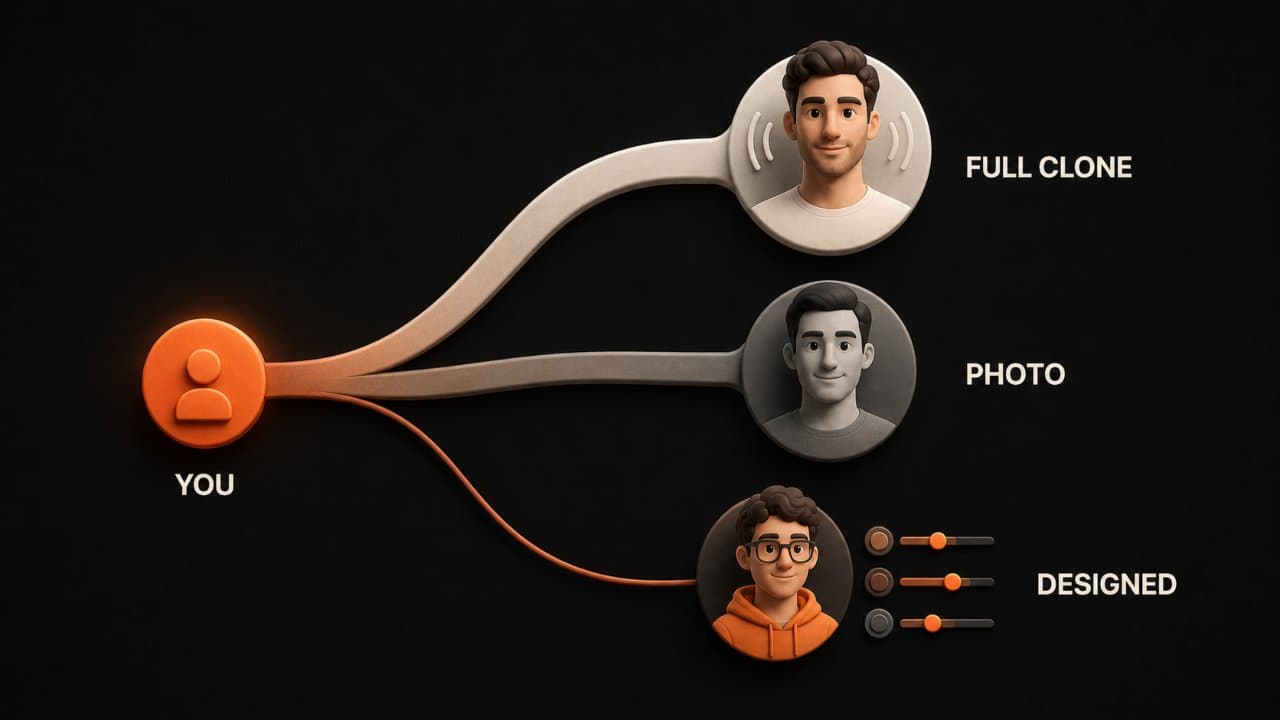
You have three main options for custom avatars.
Full clone avatars are created from a video of you. You record a 2 to 5 minute video of yourself. The AI learns your movement patterns, your facial expressions, your speaking style. Then it can recreate you speaking any script.
Full clones feel most human. The avatar moves naturally because it learned your movement. The avatar's expressions match your personality because it learned from you. When your customers see this avatar, they see you. This feels authentic and builds trust.
Recording a video of yourself feels awkward. You're used to having conversations, not performing. But remember: the AI is learning from you being yourself. You don't need to perform. You just need to be natural.
The downside is time and effort. You need to record a good video. You need decent lighting. You need clear audio. The video needs to be long enough for the AI to learn from. Most platforms want 2 to 5 minutes. That takes time but it's not unreasonable. Some people record 10 to 15 minute videos to give the AI more data.
Photo avatars are created from a single photo. You upload a headshot or photo of yourself. The AI turns it into a talking avatar.
Photo avatars are faster than video clones. Upload a photo and you're done. The avatar is ready in hours instead of days. But the result is less personal. The avatar doesn't move like you because it only learned from one image. The expressions are more limited. The avatar might nod its head but won't gesture with hands the way you would.
Photo avatars work great for marketing. Someone visits your website. They see your face as a talking avatar. It feels more personal than text. It feels more human than a stock avatar. It's fast to create. You use a headshot you already have.
The downside is that movement looks a bit artificial compared to full clones. The avatar might not move as naturally. Some platforms make photo avatars look plastic or fake. Others make them look surprisingly natural. Test before committing.
AI-designed avatars let you build an avatar from scratch using an AI character generator. You choose skin tone. Choose hair. Choose clothing. Choose gender expression. Build the avatar you want.
You don't need a photo or a video. You just need to describe what you want. "Professional woman, age 35, diverse ethnic background, business casual clothing, warm smile."
AI-designed avatars are great if you want to represent your brand with a specific look but you don't want to use your actual face. Imagine your brand is playful. You could design an avatar that's colorful and fun. Your brand is serious. You could design an avatar that's professional and formal.
AI-designed avatars are also good if your business involves multiple team members. You don't need to get everyone on video. You can create avatars that represent your team without needing actual footage. This saves time and reduces coordination hassles.
How to create your custom AI avatar step by step
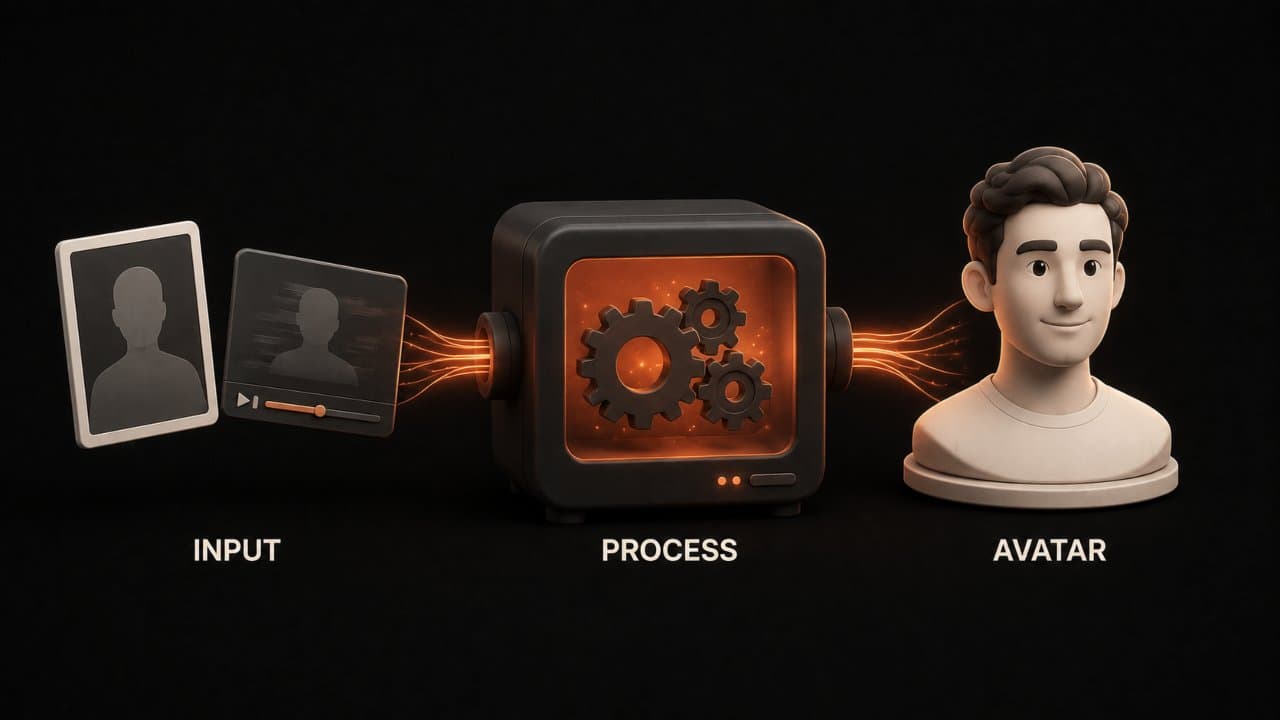
Decide which type you need. Full clone if you want maximum authenticity. Photo avatar if you want fast and easy. AI-designed if you want creative control.
Think about your use case. Are you building a course where your face matters? Full clone. Are you building a website where a talking avatar adds personality? Photo avatar. Are you building a brand avatar that doesn't need to be you? AI-designed.
If you choose full clone, record your video. This is the hardest part but also the most rewarding.
Find a quiet room with good lighting. Sit in a chair facing the camera. Speak naturally. Explain something you're good at explaining. "Let me tell you why I started this business." "Let me walk you through how I approach my work." "Let me share what I've learned in this field."
Don't write a script. That makes you sound robotic. Instead, think of someone you'd explain this to. A friend. A family member. A colleague. Now explain it to your phone camera like you're talking to that person.
Aim for 2 to 5 minutes. Longer is better for the AI to learn your patterns. But 2 minutes is the minimum. More video gives the AI more to learn from. 5 minutes is better than 2 minutes.
Speak like you're talking to a friend, not like you're giving a speech. Audiences feel fake speeches. They feel real conversation. Your natural speech patterns are what you want the AI to learn.
Wear something you'd normally wear. Don't put on a costume. Your regular clothes make the avatar feel more authentic. If you're creating a professional avatar, wear professional clothes. If you're creating a casual avatar, wear casual clothes.
Use a phone camera if you don't have a camera. Make sure the lighting isn't terrible. Flat, even lighting works better than dark rooms or sunlight in your eyes. Position a light source in front of you. Avoid harsh shadows on your face.
Record 2 to 3 takes. Pick the best one. You're not looking for perfection. You're looking for natural, genuine you. If you stumble over a word, that's fine. The AI learns from your natural speech. One take might have better energy. Another take might have better lighting. Pick the best overall.
The video should be clear and in focus. The AI is learning your facial expressions. Blurry video makes learning harder. Use good cameras or phones with good camera quality.
For photo avatars, find a good headshot. Professional headshots are ideal. A clear photo of you looking at the camera works. No sunglasses. No hats. No extreme angles.
Make sure it's a high-quality image. At least 300x300 pixels. Clear and in focus.
For AI-designed avatars, describe what you want. "Professional woman with brown hair, dark skin, business casual clothes" or "Male avatar, friendly appearance, creative clothing, African descent."
Choose your AI platform. Different platforms offer different avatar options.
DeepReel offers photo avatars and full video clones. HeyGen offers avatar studio for designing custom avatars. D-ID specializes in photorealistic video clones. Synthesia offers multiple options. For a side-by-side look at how these platforms compare, see our DeepReel vs Synthesia breakdown or our broader best AI avatar video generators comparison.
Choose the platform that offers the type you want.
Upload your material. Upload your video, photo, or description. The platform processes it.
Full video clones take 24 to 48 hours to process. The AI is learning your patterns. Be patient.
Photo avatars process in minutes to a few hours.
AI-designed avatars create instantly.
Test your avatar. Generate a test video. Write a short script. See how your avatar looks and sounds.
Does the avatar look right? Does it sound right? Is the movement natural?
If you're using a full clone, you might need adjustments. Different lighting or slightly different head position in the original video can improve results. Some platforms let you do multiple takes and pick the best output.
Use your avatar. Once you're happy, use your avatar in your content.
Script a video. Generate it with your custom avatar. Upload it.
Use the same avatar across all your videos. Consistency matters. Your audience learns to recognize your avatar. This builds brand connection.
Creative uses for custom avatars
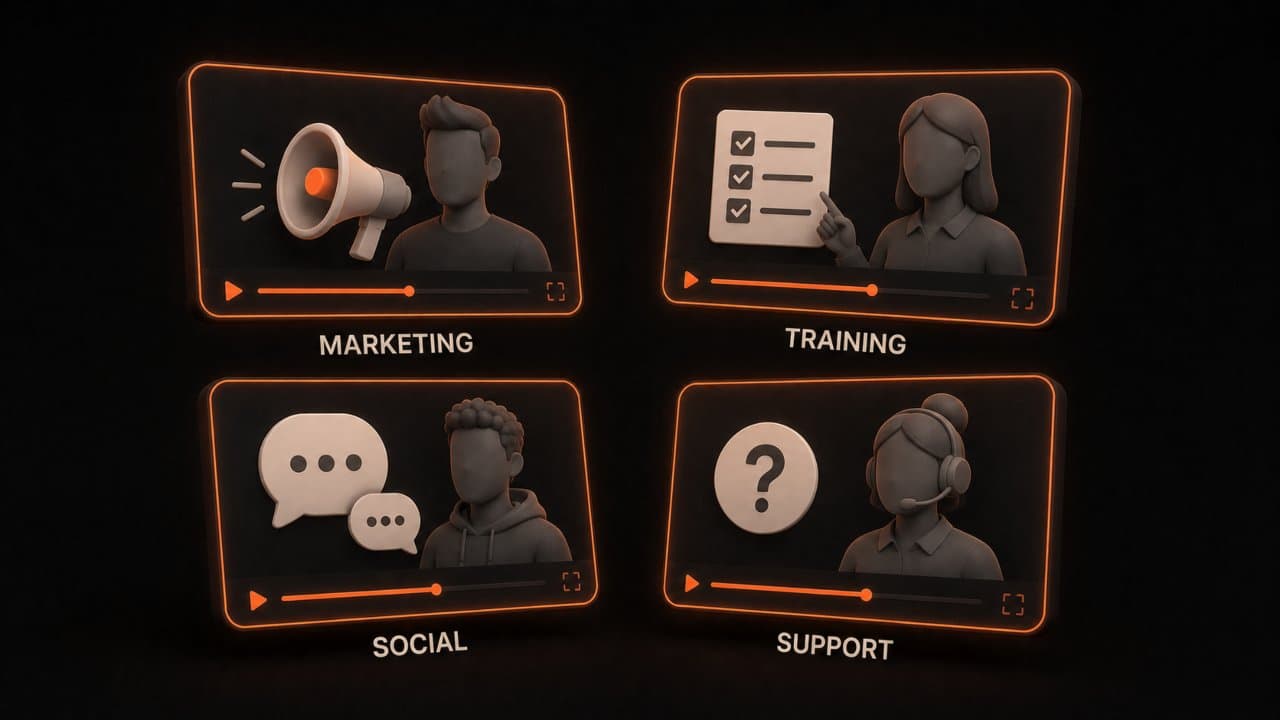
Personal branding is the obvious use. Your face is your brand. Your custom avatar gets your face into more places without more work from you. You're not available to film new content every week. But your avatar is always available. Your avatar can create new videos while you sleep.
This is especially powerful for entrepreneurs and consultants. Your personal brand is your business. Your avatar extends your reach. More people see your face. More people connect with you.
Multi-language expansion is huge. Create a video in English with your avatar. Generate the same video in Spanish with the same avatar. Spanish-speaking customers see you speaking to them in their language.
Most platforms support voice cloning in multiple languages. So your avatar doesn't just speak Spanish. It sounds like you speaking Spanish. This is useful for global marketing. You reach Spanish speakers without hiring a translator or re-recording.
Imagine you're selling an online course on entrepreneurship. You create it in English. Your avatar teaches in English. Then you generate the exact same course in Spanish, French, and Mandarin. Your course reaches 10 times more people. Your production time is the same.
Multiple avatars for different functions. Create one avatar of you in business casual clothing for training videos. Create another avatar of you in formal wear for executive announcements. Create a third avatar of you in casual clothing for behind-the-scenes content.
Different contexts call for different vibes. The same person (you) in different contexts. Your CEO avatar feels formal and authoritative. Your casual avatar feels approachable and friendly. Matching the avatar to the context improves message reception.
Team representatives. If you run a business with a team, create avatars of your key team members.
Your CEO has an avatar for company announcements. Your head of marketing has an avatar for marketing videos. Your lead developer has an avatar for technical tutorials. Your customer success manager has an avatar for onboarding videos.
Customers feel like they're learning from your actual team. But you don't need to coordinate video shoots. Everyone records once. You get avatars that can generate infinite videos. Your CEO doesn't need to spend 10 hours a week filming. They record once. Their avatar does the rest.
Sales and marketing. Use your custom avatar in sales videos, webinars, and demos.
A prospect visits your website. They see your avatar talking about your product in a sales video. It feels more personal than a salesperson they don't know. It feels more personal than a robot avatar. And it's actually you, just generated by AI.
Create a different sales video for different customer segments. Customize your message. Same you, different avatar clothing and background. Same message, personalized delivery.
FAQ
How realistic does my custom AI avatar look?
With full video clones and photo avatars from platforms like D-ID and DeepReel, the result looks almost identical to filmed video. Viewers can't tell it's AI. It looks like a real video of you talking. Photo avatars from other platforms look more like avatars but still professional. AI-designed avatars look like professional illustrations, not real people.
Can I update my custom avatar?
Yes. If you record a new video, you can create a new clone. If you want to update a photo avatar, upload a new photo. The platforms regenerate your avatar. You're not stuck with the first version forever.
What if I want to change what my avatar says?
That's the whole point of AI avatars. Your avatar can say whatever script you write. Write a new script. Generate a new video. Your avatar learns your patterns once. Then it can say anything.
Are there copyright issues if I use a custom avatar based on my photo or video?
You own your photos and videos. You can create an avatar from them. You own the resulting avatar. No copyright issues. Only issue: don't use someone else's photo or video without permission.
Wrap up
Recording a 3-minute video or uploading a photo takes 15 minutes. After that, your custom AI avatar can generate unlimited videos without another shoot.
Start with your best headshot if you want the fastest option, or record a quick video if you want maximum authenticity. DeepReel handles both. For a broader look at how avatar videos fit into your content strategy, see our AI video marketing strategy guide.