Best AI video makers for YouTube creators in 2026
You want to start a YouTube channel, but video production intimidates you.
Or you're already creating videos and spending 10-15 hours per week in editing. You'd rather spend that time on the idea and the strategy.
AI video makers solve both problems. They let you create studio-quality videos in hours, not weeks.
But which tool is right for you? That depends on what you're trying to create. If you're a social media manager juggling multiple platforms, we've also written a dedicated breakdown of AI video tools for social media managers worth checking out.
Why AI video makers matter for creators
YouTube is saturated. There are 500 hours of video uploaded every minute.
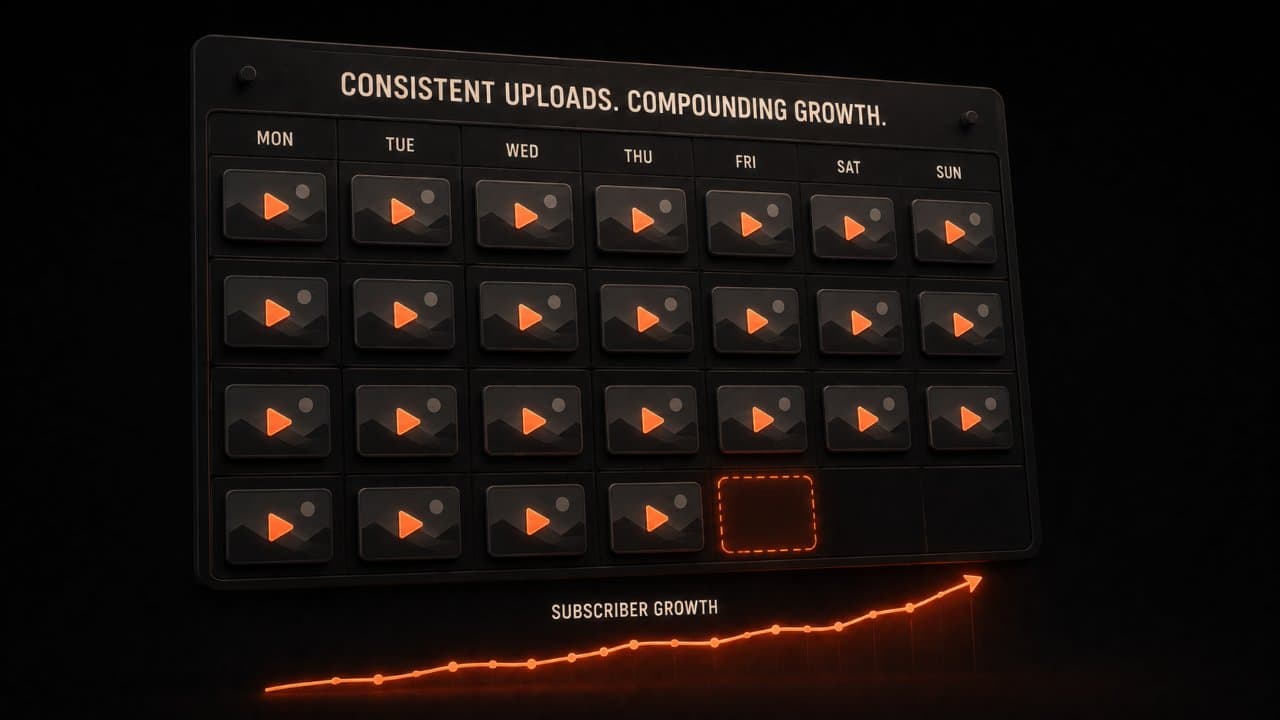
But creators who figure out consistency win. The ones uploading once weekly outperform those uploading monthly, even with lower production quality.
Here's the reality: a consistently published 7/10 quality video beats an inconsistently published 10/10 quality video.
AI video makers let you hit that sweet spot. You can produce good videos every week without hiring a team or spending a full-time equivalent on editing.
The other benefit: you can test more. Want to try different styles, formats, or topics? With AI, you test 5 video ideas in a week. Find the winner. Then focus there.
That feedback loop is what separates successful creators from struggling ones.
Here is a number that puts this in perspective: according to Vidyard's video benchmarks, the average YouTube video takes 3-5 days to produce when you include scripting, filming, editing, and optimization. With AI tools, that drops to 1-3 hours. Over a year of weekly uploads, AI saves you roughly 200-350 hours. That is 8-15 full weeks of time you get back to spend on strategy, audience engagement, and growing your channel.
The best ai video maker for youtube depends on your channel type, your budget, and how much creative control you want. Let me break down each option.
The top AI video makers for YouTube compared
DeepReel: Best AI agent for creators
DeepReel uses AI agents to automate your entire video creation process. You provide a URL, article, or script, and the AI generates a complete video with pacing, cuts, voiceover, captions, and effects.
What makes it different: It's designed specifically for creators who want the AI to do more of the thinking. You're not selecting every shot. The AI is deciding what works and building from there.
Best for: Content creators who want maximum automation, publishers converting articles, batch content production.
Pricing: $5/month (10 videos), $25/month (100 videos), $30/month (unlimited).
Why it wins: Fastest turnaround time (10-15 minutes per video), best for batch workflows, most automation.
Synthesia: Best for talking head videos
If you need a presenter or spokesperson in your video, Synthesia is the best option. You write a script. An AI avatar delivers it. You choose from 150+ avatars in different styles and languages.
This is huge if you're creating educational content, product demos, or explainers where a person needs to present information.
Best for: Training videos, product demos, educational content, explainers.
Pricing: $18/month (basic), $64/month (professional).
Why it wins: Avatar quality is the highest in the industry, best for script-to-presentation video.
InVideo: Best template library
InVideo is template-heavy. Pick a template. Drop in your content. Customize. Export.
It works like Canva but for video. If you're not trying to be highly original and you want something that looks polished fast, this works. InVideo is also a solid pick if you're focused on short-form marketing - we cover this more in our guide on creating video ads with AI.
Best for: Marketing videos, social media content, quick turnaround projects where templates fit your needs.
Pricing: Free (limited), $28/month, $48/month.
Why it wins: Largest template library, easiest UI for beginners.
HeyGen: Best free tier
HeyGen offers a real free tier that's actually useful. You get 15 minutes of video monthly, all core features, and no watermarks.
That's enough to test whether AI video makes sense for you before paying.
Best for: Creators testing the space, explainer videos, multilingual content.
Pricing: Free (15 min/month), $29/month, $149/month.
Why it wins: Genuinely free option, great quality, strong multilingual support.
Pictory: Best for blog-to-YouTube conversion
Pictory specializes in turning blog posts and articles into videos. You paste a URL or upload text, and it creates a YouTube-ready video with stock footage. If you already have a library of written content, our guide to converting blogs to video with AI walks through this workflow in detail.
This is the most specialized tool for one specific job.
Best for: Content marketers converting blogs to video, publishers, anyone with existing written content they want to repurpose.
Pricing: $25/month, $35/month, $119/month.
Why it wins: Fastest blog-to-video conversion, high-quality stock footage selection.
Also worth considering:
- Veed: Browser-based, collaborative editing, good for teams.
- Fliki: Strong AI voiceover quality, good for short-form video.
- Steve.AI: Good templates, strong for social media.
- Kapwing: Best for meme creation and quick edits.
- Descript: Best if you're transcribing or editing audio first.
Comparison: What matters for different creators
The right tool depends on what you're creating. Let me break down the decision framework.
First, answer these questions:
- Do you have a script or do you need templates?
- Will you appear on camera or use avatars?
- Do you want complete automation or more control?
- What's your budget?
- How much time do you have for learning?
Your answers determine the best tool for you.
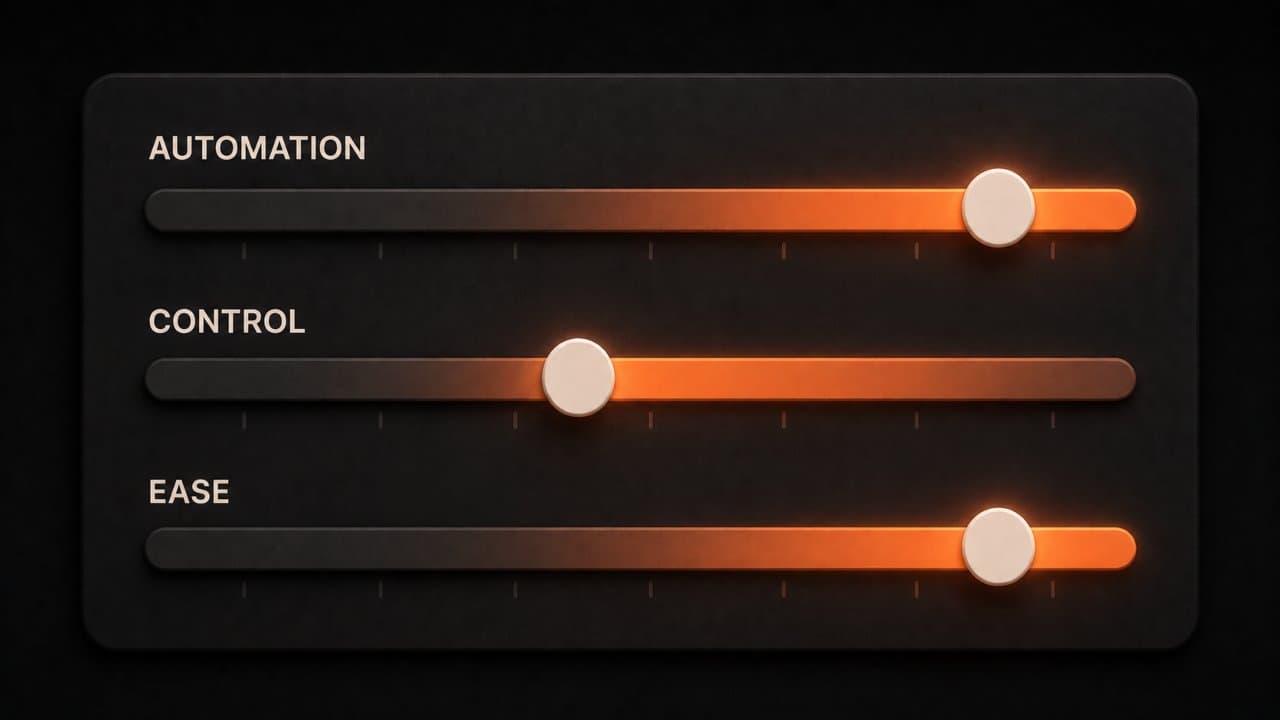
Automation score (how much the AI does for you):
- DeepReel (90% - handles almost everything)
- Synthesia (70% - handles presentation, you script)
- Pictory (85% - handles blog-to-video conversion)
- InVideo (60% - templates, you customize)
- HeyGen (75% - avatar, you script)
Control score (how much you customize):
- Descript (95% - you control everything)
- InVideo (85% - templates with customization)
- Veed (80% - full editing control)
- HeyGen (65% - some customization)
- DeepReel (50% - less hands-on control)
Ease of use score (how fast to first video):
- InVideo (first video in 30 minutes)
- HeyGen (first video in 45 minutes)
- DeepReel (first video in 15 minutes, but more setup)
- Synthesia (first video in 60 minutes)
- Descript (first video in 2+ hours - requires filming)
Cost-effectiveness for volume:
- If you're making 1 video monthly: HeyGen (free tier)
- If you're making 4-8 videos monthly: DeepReel ($25 plan)
- If you're making 15+ videos monthly: DeepReel ($30 unlimited or Synthesia $64)
- If you're making custom videos: Descript or Veed (per-project pricing)
The right tool depends on what you're creating.
If you're a news or commentary creator: You need speed. You need to respond to trends quickly. DeepReel or HeyGen. Both create video fast from scripts.
If you're an educator: You need clarity and a presenter. Synthesia's avatars are professional and don't distract from content. Or use your own face with Descript or Veed.
If you're a product or marketing person: You need flexibility and templates. InVideo or Fliki. Both let you customize without starting from scratch.
If you're a writer converting to video: Pictory is built for you. Take what you wrote. Convert to video. Post. Publishers with news content should also look at our complete guide to article-to-video AI for news publishers.
If you're a design or motion graphics person: Veed or Kapwing. These tools are built for someone who understands design. You can control layout, animation, and visual styling.
If you're a team producing together: Veed or InVideo. Both support collaborative editing. Multiple people can work on the same video at the same time.
Deeper dive: Real-world workflows
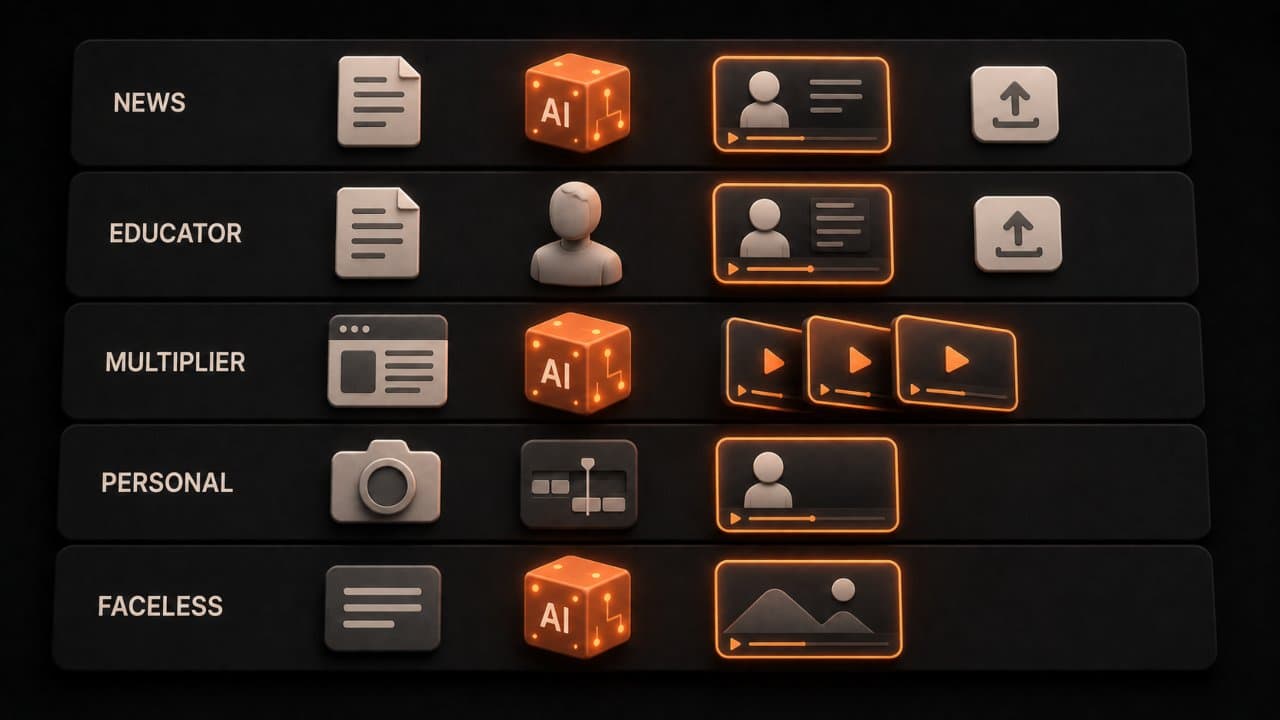
Let me give you specific workflows for different creator types, because tools matter less than process.
Workflow 1: News and commentary creators
You respond to trends and current events. Speed is everything. A trending topic today is old news tomorrow.
Tool recommendation: DeepReel
Your process: Write a 500-word script about the trending topic. Paste into DeepReel. Choose voiceover style. Hit generate. Video is ready in 12 minutes. Add a thumbnail. Upload to YouTube and cross-post to TikTok.
The speed advantage is real. I timed this workflow and went from blank page to published video in 35 minutes. Traditional production for the same video would take 6-8 hours minimum.
Cost: $25/month for up to 100 videos
Weekly output: 5-7 videos based on current events
The key to this workflow: do not over-edit. The value is in your commentary and speed, not in production polish. Your audience cares about your take on the topic, not whether you used the fanciest transitions.
Workflow 2: Educational content creators
You're teaching something. You need clarity and a presenter. The viewer needs to focus on content, not on flashy production.
Tool recommendation: Synthesia
Setup: 30 minutes per video. Write script. Upload to Synthesia. Choose avatar. Set pacing (usually slower for education). Generate. Add captions. Export.
Why Synthesia: The avatar removes distraction. Viewers focus on the information. The pacing options let you slow down for complex topics.
Cost: $64/month professional plan
Weekly output: 2-3 videos (each takes longer, but quality is broadcast-level)
Workflow 3: Content multiplier
You create one blog post and want to turn it into many video formats. This is the exact strategy we break down step-by-step in our guide to repurposing content with AI video.
Tool recommendation: DeepReel (primary) + Veed (editing)
Setup: 20 minutes total. Blog post goes into DeepReel. Generates a 5-minute video. Download. Open in Veed. Create 3 short versions (90 seconds, 60 seconds, 30 seconds). Export all. Schedule to YouTube, TikTok, Reels, LinkedIn.
Cost: $25/month DeepReel + $120/year Veed
Weekly output: 4-6 videos from 1 source piece
Workflow 4: Personal brand / face on camera
You want to be the personality. You're filming yourself but want to reduce editing time.
Tool recommendation: Descript
Setup: 45 minutes. Film yourself for 10 minutes. Upload to Descript. Descript transcribes everything. You edit by deleting filler words and "ums" from the transcript. Video auto-cuts to match. Add captions (auto-generated). Add music. Export.
Cost: $24/month Descript
Weekly output: 1-2 videos (requires filming time)
Each workflow is different. Choose based on your actual process, not on features you do not need.
Workflow 5: Faceless channel creator
You want to build a YouTube channel without ever appearing on camera. This is one of the fastest-growing creator categories in 2026, and we've written a full playbook on building a faceless YouTube channel with AI if you want to go deep on this format.
Tool recommendation: DeepReel
Your process: Research a topic in your niche. Write a script or feed a URL to DeepReel. Select the faceless explainer format. The AI generates a video with stock footage, motion graphics, voiceover, and captions. Upload to YouTube with an optimized title and description.
Cost: $25-$30/month
Weekly output: 3-5 videos across one or multiple niches
Faceless channels work in niches like personal finance, technology explainers, history, true crime, science, and productivity. The content does the heavy lifting. You never need to show your face or invest in camera equipment. For the full set of techniques, see our guide on how to make videos without showing your face.
If you are testing whether YouTube works for you: HeyGen's free tier. Test with real content. Learn what works. Then pick a paid tool when you know your strategy.
Channel type recommendations
How-to and tutorials: Use Synthesia with a clean background, step-by-step pacing. Or use Descript to record yourself, then edit video and audio together.
News and current events: DeepReel for speed. Script it Monday. Post Tuesday. No filming required.
Entertainment and comedy: You'll probably want to film yourself or create custom content. These tools work better for informational content than entertainment. But use them for compilations, montages, and repurposed clips.
Educational (lectures, courses): Synthesia avatars are perfect. Script-based, professional, scalable across topics.
Vlogs and personal content: Film yourself. Use Descript or Veed to edit. AI tools are better for produced content than authentic personal content.
Product demos and software tutorials: Synthesia or Descript. You need clarity and usually a person explaining.
Business content (LinkedIn, corporate): DeepReel or Synthesia. Professional tone, clear messaging, no wasted motion. If LinkedIn is your primary channel, our guide to creating AI video for LinkedIn covers the format and tone specifics.
YouTube-specific optimization tips
Thumbnails matter more than the video itself
YouTube's algorithm decides who sees your video based on click-through rate. Your thumbnail determines that click-through rate. A great video with a bad thumbnail gets zero views.
Some AI video tools include thumbnail generation. DeepReel can generate thumbnails automatically. Others require you to create thumbnails separately. Either way, invest time in thumbnails. Use bold text, clear faces (or clear imagery for faceless channels), and high contrast colors.
Test two thumbnail versions for every video. YouTube's A/B testing feature lets you run both and see which one gets more clicks. Over time, you learn what your audience responds to.
Titles and descriptions for YouTube SEO
YouTube is a search engine. Your title needs to include the keyword people are searching for.
If your video is about "how to create a sales funnel," your title should include those exact words. Not "My Funnel Creation Journey" or "The Ultimate Guide." Those are cute, but they do not rank.
Your description should be 200+ words, include your target keyword in the first two sentences, and link to related videos on your channel. This helps YouTube understand what your video is about and who to show it to.
AI tools can help here too. Use DeepReel's script generation to create a description that matches your video content. The AI already knows what the video covers. Let it write the description too.
Consistency beats quality every time
The YouTube algorithm rewards channels that upload consistently. A channel uploading weekly with 7/10 quality will outperform a channel uploading monthly with 10/10 quality.
This is where AI video makers provide the biggest advantage. You can maintain a weekly upload schedule without burning out. You can batch-produce multiple videos in a single session. You can test different formats without investing days per video.
The creators who win on YouTube in 2026 will be the ones who figured out sustainable production workflows. AI video tools are how they get there.
The real advantage of AI video makers for YouTube: iteration speed
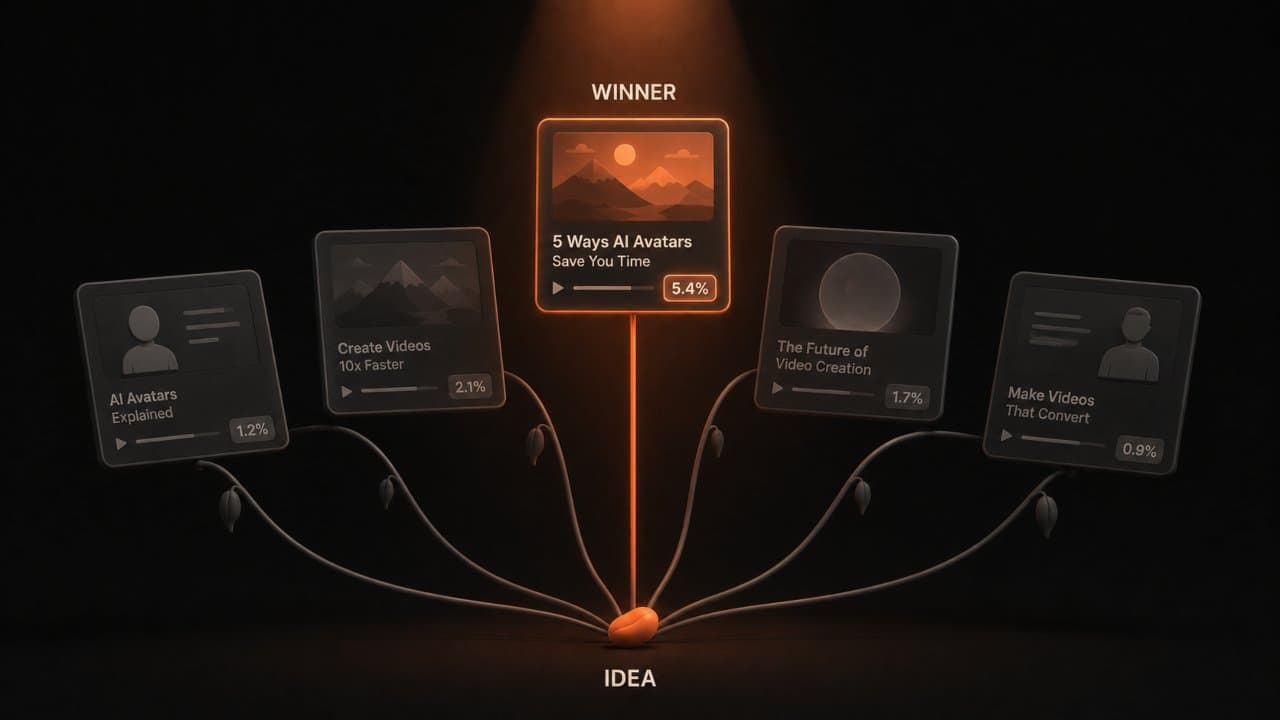
The biggest win with AI video makers isn't the speed of individual videos.
It's that you can create fast enough to test variations. You can run 5 different title styles, 3 different openings, 2 different voiceover tones.
You learn what your audience actually wants in weeks instead of months.
That's how small creators compete with well-funded channels. They test ideas fast, learn what resonates, and scale what works.
Use AI video makers to compress that learning cycle.
FAQ
Do I need to be technical to use these tools?
No. The best tools (DeepReel, InVideo, HeyGen) are designed for non-technical people. If you can write an email, you can use these tools. The learning curve is 30 minutes, then you're productive.
Will AI-generated videos get monetized on YouTube?
Yes. YouTube doesn't care whether you filmed it or generated it. They care that it follows their community guidelines and has original content. An AI-generated video from your original script is original content and fully monetizable.
Can I use copyrighted music and footage with these tools?
It depends on the tool. Most include royalty-free music and stock footage libraries. Some let you upload your own. Always check the tool's licensing terms. If you upload copyrighted content that doesn't belong to you, that's your liability, not the tool's.
How much time does this actually save?
For a 5-minute video: DeepReel saves 4-5 hours. Synthesia saves 2-3 hours (you still script). InVideo saves 2-3 hours. Descript saves 1-2 hours (you still film). The time savings scale with how custom your video is. Highly custom = less time saved. Template-based = more time saved.
Wrap up
The YouTube creators winning in 2026 aren't the ones with the biggest budgets.
They're the ones shipping consistently. They're the ones testing ideas fast. They're the ones learning what their audience wants and doubling down.
AI video makers make that possible without a full production team.
Pick a tool based on what you're creating. Set up a weekly workflow. Create consistently. Measure what works.
In 6 months, you'll have 25+ videos. You'll know which topics your audience loves. You'll have the foundation for real growth.
That foundation comes from consistency, not perfection. AI video makers let you be consistent.
Start with DeepReel if you want the most automation. Start with HeyGen's free tier if you want to test first. Either way, create your first AI-generated YouTube video this week. See how it feels. Then build from there.